
Last updated: November 19, 2026
Key Takeaways
- A subscriber survey can give direct, usable feedback instead of reading tea leaves from open rates alone.
- A good newsletter survey asks about value, format, and friction, not just “Do you like this?”
- You should send a newsletter survey after readers have had enough time to form an opinion, but before they drift away.
- You collect feedback by matching the tool to the depth of answer you need, then keeping the path from email to survey as short as possible.
A subscriber survey is one of the quickest ways to find out why people read your newsletter, what they skip, and what they want less of. This article explains how to collect subscriber feedback with a newsletter survey without adding much friction.
The usual approach is a short survey sent at the right time, with plain questions and one clear follow-up path.
The sections below show what to ask, when to send it, and how to turn replies into changes you can make in your newsletter.
Why a subscriber survey beats guessing

A subscriber survey gives you direct, usable feedback instead of reading tea leaves from open rates alone. If a reader says the issue feels repetitive, you know what to fix; if they say the tool picks save time, you know what to keep.
Picture this: you’ve been publishing every week, the list is growing, and you still can’t tell which parts people actually value. You need feedback that points to edits, not vague praise. You need specific questions, a short form, and a plan for the answers.
That is where a newsletter survey does the heavy lifting. It turns a passive audience into a source of research you can use for topic mix, format, and frequency. For a free AI tools newsletter, that matters even more because readers often subscribe for one reason and leave for a different one. See also the broader guide to Free AI tools newsletter audience and value proposition — The Complete Guide.
- Use a survey when you need direction on content, cadence, or format.
- Skip it if you only want one-off support replies.
- Aim for feedback you can act on in the next 1–2 issues, not someday.
A focused survey with 5 to 8 questions can reveal far more than a sprawling form with 20. That smaller number also makes the survey easier to finish.
What questions should a newsletter survey ask?
A good newsletter survey asks about value, format, and friction, not just “Do you like this?” Here’s the catch: vague questions get vague praise, and vague praise rarely changes an issue.
Picture this: a reader opens your survey on a phone during a coffee break. If the first question feels easy and the next few are clear, they’ll keep going. If the form feels like homework, they’ll close it in 30 seconds.
Use questions that pull out decisions you can make:
- Why did you subscribe?
- What do you read first?
- Which section do you skip?
- How often should this newsletter land?
- What one thing would make it better?
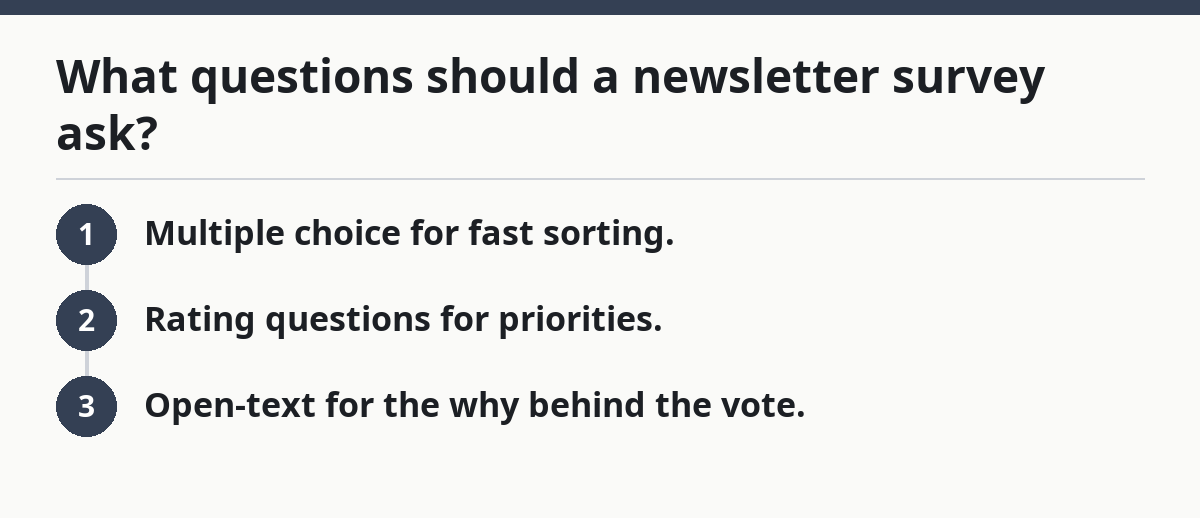
A useful survey usually mixes 3 kinds of prompts:
- Multiple choice for fast sorting.
- Rating questions for priorities.
- Open-text for the why behind the vote.
The best way to ask is plain language. “Which part of the newsletter is most useful?” works better than “Please evaluate content utility.” If you want cleaner data, keep answer choices short and mutually distinct. For example, if you ask what people value most, give options like “tool roundup,” “explanations,” “use cases,” and “news,” not 12 near-duplicates.
A strong first draft often includes these question types:
- One question on subscription motive
- One on favorite section
- One on least useful section
- One on preferred frequency
- One open field for suggestions
If you want a simple survey tool, Google Forms works well for basic choice questions. Typeform is stronger when you want a more conversational feel. SurveyMonkey is useful when you want more built-in survey structure. An email poll is even lighter if you only need one answer, but it gives you less context.
When should you send a newsletter survey?
You should send a newsletter survey after readers have had enough time to form an opinion, but before they drift away. Send it too early and they have nothing real to say; send it too late and the people who cared have already unsubscribed.
Picture this: a new subscriber has received three to five issues and can now tell you what the newsletter is really like. That is often a useful window for a first survey because they have seen the pattern, the tone, and the length. For long-time readers, a second survey later in the year can catch new habits and shifting needs. More broadly, how to collect subscriber feedback with a newsletter survey depends on timing as much as on question design.
There are three good timing points:
- After onboarding, once they’ve read a few issues
- After a format change, so you can judge the new version
- Before a planned refresh, so feedback shapes the next version
Timing also depends on your list size. If you have a small list, you may want to wait until you have enough readers to spot patterns across responses. If you have a large list, send the survey to a segment instead of everyone at once, especially if you already know which subscribers are most active.
The truth is, timing affects response quality as much as question design does. A survey sent right after a big news event, holiday, or inbox flood may underperform because people are busy. A survey sent in a calm stretch, with a clear subject line, usually gets more complete answers.
A simple rule works well: send the survey when you have something specific to learn. A cadence check, a topic check, or a format check each deserves its own send.
How do you collect feedback with Typeform, Google Forms, SurveyMonkey, or an email poll?
You collect feedback by matching the tool to the depth of answer you need, then keeping the path from email to survey as short as possible. The tool matters less than the friction you create on the way in.
Picture this: a subscriber taps a link on their phone. If the page loads cleanly, shows a progress cue, and asks one question at a time, you get better completion than with a cluttered form. A survey that feels like a minute of work will beat one that looks like a spreadsheet in disguise.
Here is a simple process that works in most newsletter setups:
- Pick one goal. Decide whether you want feedback on topics, format, frequency, or satisfaction. A single goal keeps the survey under 10 questions and makes the answers easier to sort.
- Choose the tool. Use Google Forms for quick setup, Typeform for a cleaner one-question-at-a-time flow, SurveyMonkey for more survey logic, or an email poll if you only need one fast vote.
- Write 5 to 8 questions. Mix 3 closed questions with 2 or 3 open prompts. That gives you usable counts and enough room for context.
- Make the first question easy. Start with a multiple-choice or one-click rating question. Easy starts reduce drop-off and help the reader finish.
- Set one clear incentive. Offer early access, a bonus resource, or a chance to shape future issues. Keep the reward tied to the newsletter, not a random prize that attracts the wrong people.
- Place the link in the newsletter and a follow-up note. Add it once in the body and once in a short reminder if needed. A second send often brings in the people who meant to answer but forgot.
- Review the responses in one pass. Sort comments into themes like “too long,” “more tools,” or “more examples.” That keeps the next issue from becoming guesswork.
If you want a quick feedback pulse, an email poll can be enough. Ask one question, like “Which section do you want more of?” and link to a form only if readers want to explain their vote. That keeps the first step easy.
Two common trade-offs show up here. Typeform can feel smoother, but longer logic trees can make setup slower. Google Forms is fast and familiar, but it can feel plain and less inviting. SurveyMonkey gives more control, but that can also mean more setup than a solo operator wants.
Who Should Skip This: A reader who only needs one yes/no answer should skip a full survey and use an email poll instead.
Buy this if: you want structured feedback on a newsletter launch, redesign, or frequency change.
Skip this if: you need a single quick vote and do not want to send readers to a separate page.
How do you get people to actually answer?
You get more responses by reducing effort, explaining why the survey matters, and making the reward feel relevant. A weak invitation kills more surveys than weak questions do.
Picture this: your reader is scanning a crowded inbox on a Monday morning. The subject line has to signal value in a few words, and the ask has to feel small enough to finish before the next meeting. If it looks long, it will be ignored.
A good invitation does four things:
- Says who the survey is for
- Says how long it takes
- Says why the reader should care
- Says what happens with the results
Keep the language direct. “Help shape the next issues” works better than “Your valuable insights are appreciated.” If you promise changes, make sure you actually plan to act on the results.
Incentives help, but they should match the job. A free downloadable checklist, a preview of next week’s issue, or a chance to influence the newsletter direction usually works better than a generic gift card. The point is not bribery; it is relevance.
A few practical tactics help here:
- Put the survey link near the top of the email, not buried at the bottom.
- Repeat it once in a short reminder issue.
- Use a short deadline, such as 7 days, so the request does not drift forever.
- Tell readers if you will share a summary of what you learned.
The best part is that you can usually get more useful feedback from a smaller, well-matched group than from a huge random blast. If your newsletter has active segments, send the survey to readers who have opened recent issues or clicked similar content.
How do you turn open-text feedback into decisions?
You turn open-text feedback into decisions by grouping comments into themes, then choosing the changes that affect the most readers. A pile of comments is noise until you sort it.
Picture this: you export the responses and see a dozen notes that all say the same thing in different words. One reader says the newsletter is “too crowded,” another says it “feels packed,” and a third says it “has too much going on.” That is one theme, not three.
Start by tagging each open response with a simple label:
- Too long
- Too short
- More examples
- Less repetition
- Better subject line
- More on tools
- Less news
- More use cases
Then look for repeats. If the same theme appears again and again, it deserves action. If a comment is sharp but isolated, keep it in mind, but do not let one loud voice steer the whole newsletter.
Use the survey results in three places:
- Content mix — change how much space each section gets.
- Format — shorten, reorder, or split sections.
- Tone — make the newsletter more direct, more practical, or more visual.
A clean way to report back is a short “you asked, I changed” note in the next issue. That closes the loop and proves the survey had a point. If readers see results, they are more likely to answer next time.
This is also where many newsletter operators make a bad call. They collect feedback, then try to satisfy every request at once. That usually makes the issue messier, not better. Pick the changes that fit the newsletter’s purpose, then leave the rest for later.
For broader strategy on audience and value proposition, the hub article for Free AI tools newsletter audience and value proposition — The Complete Guide is the right next stop.
What questions should a newsletter survey ask?
A newsletter survey should ask why people subscribed, what they read first, what they skip, and what they want more or less of. Those questions give you a map of reader intent and content value. Add one open-ended question at the end so people can explain anything the fixed choices missed.
When should you send a newsletter survey?
You should send a newsletter survey after readers have seen a few issues and can judge the pattern. That often means after 3 to 5 sends, or after a format change, launch, or refresh. Timing it around a real decision makes the answers easier to use.
How do you use newsletter feedback?
You use newsletter feedback by sorting comments into themes and changing the parts of the newsletter that readers mention most. Start with the repeat complaints and repeat praise. Then make one or two edits in the next issue so the survey leads to visible change, not a forgotten spreadsheet.
Drafted with AI; not yet reviewed by a person.
