
Last updated: November 19, 2026
AI tools newsletter subscriber segmentation works best when you split people by interest and skill level, then tag behavior so each send feels relevant without turning your list into a mess.
Start with interest tags, skill-based lists, and a simple preferences center.
The steps below show how to set that up without overcomplicating it.
Key Takeaways
- Segment first by what readers care about, then by how much they already know.
- Use signup forms, survey responses, email tags, and a preferences center to collect clean signals.
- Track behavior only after you can trust the data, or you’ll tag people wrong.
- Keep the first version simple: a few tags beat 40 messy ones.
- Revisit segments every month or after a few sends, so stale labels don’t follow readers forever.
What subscriber segmentation should do for an AI tools newsletter
Subscriber segmentation should put the right AI tools in front of the right reader, not shove every new tool into every inbox. Picture this: you have a student who wants easy prompts, a founder who wants workflow speed, and a builder who wants API tools. One list cannot serve all three well.
The point is relevance, not volume. If your newsletter covers AI writing tools, image generators, meeting note apps, and automation software, a single blast will feel noisy fast. A segmented list gives each subscriber a clearer path through the same content.
For this topic, the cleanest split is usually two-layered:
- Interest tags for what they want to read
- Skill tags for how much hand-holding they need
That keeps your sending logic simple. It also makes it easier to personalize the subject line, intro, and call to action without rewriting the whole issue for every person.
If you need a broader framing for audience growth, the pillar guide to Free AI tools newsletter audience and value proposition — The Complete Guide sits above this page and handles the bigger positioning question.
This page is about subscriber segmentation only.
Start with a tag map, not a giant list
Start with a tag map that has 3 to 6 tags you will actually use. Picture your inbox after 10 sends: if you cannot explain why a tag exists in one sentence, it probably does not belong yet.
A simple starter map might include:
- Writing tools
- Image tools
- Automation tools
- Beginner
- Intermediate
- Advanced
That gives you a working structure without turning the account into a tax form. The best tag systems are boring in a good way. They are easy to apply, easy to search, and easy to retire when they stop helping.
How do you segment newsletter subscribers by skill level?
You segment newsletter subscribers by skill level with clear labels, a short self-selecting form, and behavior clues that confirm what readers already told you. Picture a new subscriber landing on your form and seeing “beginner,” “intermediate,” and “advanced” instead of a vague promise that the newsletter is “for everyone.”
Skill level is useful because AI tool readers are not all looking for the same depth. Some want a plain-English explanation and one good prompt. Others want API notes, automation paths, or comparison charts. If you miss that split, beginners bounce and advanced readers tune out.
Use three levels if you can. More than that usually creates noise.
- Beginner: wants plain language, setup help, and low-risk recommendations
- Intermediate: wants comparisons, workflow ideas, and better prompts
- Advanced: wants edge cases, integrations, and time-saving systems
A self-rating checkbox on the signup form is the easiest start. You can refine it later with survey responses and clicks. If someone keeps opening articles about prompt basics, they probably belong in the beginner bucket, even if they checked “advanced” out of pride.
Use one skill signal from each source
Use one skill signal from each source so you do not overload the form or the database. A signup form can ask one question, a survey can confirm it, and clicks can validate it.
A simple setup looks like this:
- Add a skill question to the signup form with three choices.
- Send a one-click welcome survey that asks what they want help with in the next 30 days.
- Watch which emails they open and click over the next few sends.
- Move people only when two signals agree.
- Keep the original tag in the background if the behavior stays consistent.
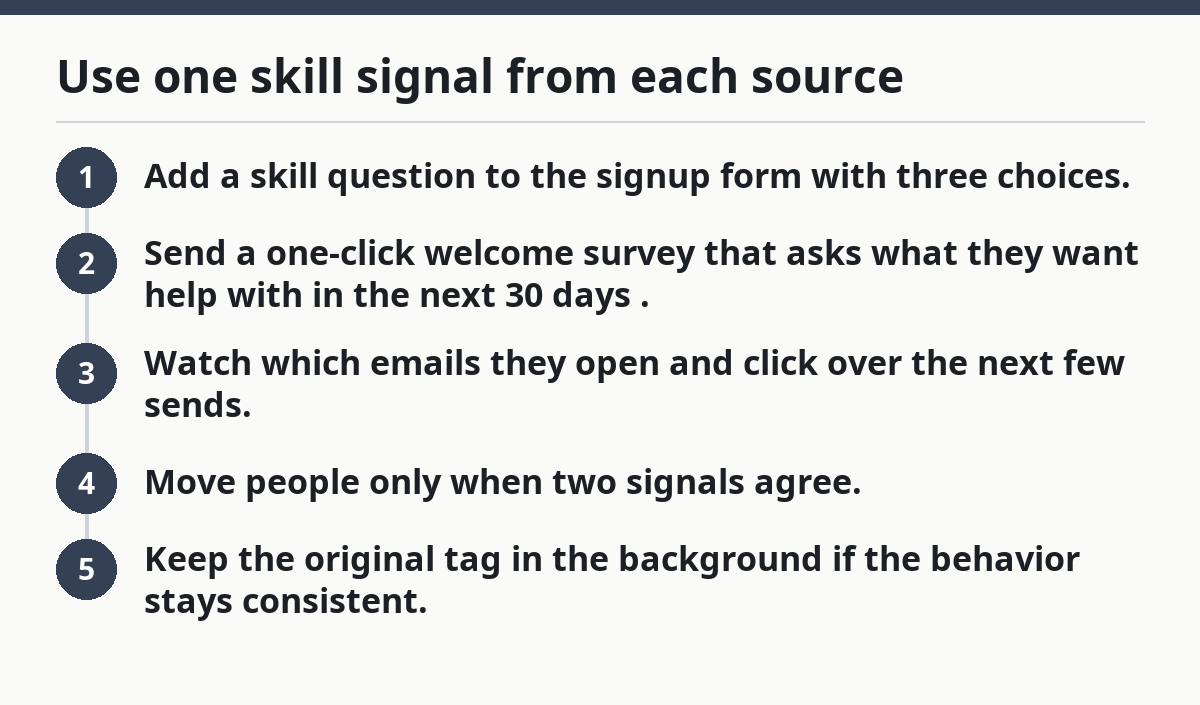
That last step matters. One click on an advanced topic does not make a beginner into a power user. A pattern over 3 to 5 sends is much more useful than one lucky open.
Which interest tags belong in an AI tools newsletter?
Interest tags should match the content buckets you actually publish, not every tool category on the market. Picture your next issue: if you cover five tool types in one send, the tag list has to reflect those choices or the segmentation will feel fake.
For an AI tools newsletter, the most common interest tags are straightforward:
- Writing and editing
- Research and summarizing
- Image and design
- Video and audio
- Automation and workflows
- Productivity and note-taking
- Prompting and templates
- Chatbot and assistant tools
Do not build tags around tiny product features unless you send about them often. “Chrome extensions” is useful only if you keep writing about them. “Text-to-speech” is useful only if you have enough material to support it. Tags should mirror your publishing rhythm.
The truth is, most newsletters need fewer interest segments than they think. A list of 8 tags that you use every week beats a list of 28 tags nobody remembers to apply.
Keep interest tags tied to content, not identity
Keep interest tags tied to content, not identity. A reader can care about automation this month and image tools next month.
That means the tag should answer one practical question: “What should this person get next?” If the answer is not obvious, the tag is probably too abstract. “Builder” and “creator” sound nice, but they do not help you pick the next email.
Use tags that map to:
- A topic in the newsletter
- A recurring column
- A lead magnet or signup promise
- A subject line angle
This is where clean tagging saves time later. When a new issue is ready, you can send to the people who asked for that topic instead of blasting the full file to everyone.
How do you collect the right signals without annoying readers?
You collect the right signals by asking one question at a time and using a preferences center for the rest. Picture a signup form that tries to learn everything up front: skill, interests, job title, company size, favorite tools, and reading frequency. That form will feel heavy before a reader even joins.
The better move is to split data collection into layers:
- Signup form: one skill question, one interest check, maybe one format preference
- Survey responses: one follow-up question after signup or after the first issue
- Email tags: applied from clicks, opens, or link choices
- Preferences center: a place to change interests later without emailing support
A preferences center is especially useful for a newsletter like this because AI interests shift fast. A reader may want image tools for two months, then switch to automation, then go quiet. Letting them change their own settings lowers list decay and bad targeting.
Ask for choice, not a biography
Ask for choice, not a biography. The less work you make the reader do, the cleaner your data tends to be.
Good form questions are short:
- “What best describes your skill level?”
- “Which topics do you want most?”
- “How often do you want AI tool updates?”
- “What do you want less of?”
Bad questions are broad and tiring. “Tell us your goals” sounds friendly, but it creates mushy data that’s hard to segment with later. If the answer cannot become a tag, a list rule, or a send filter, it does not belong on the form.
How to build segments that actually improve opens
You build useful segments by combining one interest tag, one skill tag, and one behavior rule at a time. Picture a send for “beginner + writing tools + clicked prompt tips.” That reader should see a different intro than someone tagged “advanced + automation + clicked integration posts.”
This is where many newsletters go wrong. They create segments, then never use them in a send rule. The tag sits there like dead weight. Real segmentation changes the email the reader gets, even if the change is small.
A practical structure looks like this:
- Beginner + writing
- Beginner + automation
- Intermediate + productivity
- Advanced + workflows
- Advanced + integrations
Each of those can point to a different opening paragraph, featured link, or call to action. You do not need five totally different newsletters. You need the same newsletter to speak to the right reader.
Use behavior as a tiebreaker
Use behavior as a tiebreaker when the form data is unclear. A subscriber who signs up as “advanced” but only clicks beginner guides for 3 issues is telling you something useful.
Good behavior signals include:
- Repeated clicks on beginner or advanced content
- Opens on specific topic lines
- Choice-based clicks in a welcome email
- Downloads of a template or checklist
Do not overreact to a single click. One behavior event is a hint, not a verdict. The best segment systems update slowly enough to stay honest and fast enough to stay useful.
Common segmentation mistakes that waste AI newsletter sends
Common segmentation mistakes waste sends by making your list look smarter than it is. Picture a dashboard full of tags that nobody trusts. That usually happens because the tags were created faster than the sending rules.
The biggest mistakes are these:
- Too many tags. A list with 30 tags looks precise and behaves like clutter.
- Only self-reported data. People mislabel themselves all the time.
- No preferences center. Readers cannot fix bad data, so the bad data sticks.
- Ignoring behavior. A tag without click data goes stale fast.
- Using vague labels. “Power user” means different things to different readers.
The cost is not abstract. Bad segments make newsletters feel random, which lowers trust and makes future clicks weaker. Once the list stops matching reality, every send takes longer because you have to second-guess the filters.
On the flip side, a small clean system is easier to keep alive. Five well-used tags and a short preference form will usually do more for deliverability and engagement than an overbuilt segmentation chart.
How often should you update segments?
You should update segments after each meaningful behavior change and review the whole structure about once a month. Picture a subscriber who started as a beginner, clicked three automation articles, and then asked for advanced workflows in the preferences center. That person should not stay frozen in the beginner bucket forever.
A good update rhythm is:
- Recheck new subscriber tags after the welcome series
- Review click patterns after 3 to 5 sends
- Clean inactive or stale tags once a month
- Retire tags that no longer match your content plan
The key is to keep segment changes tied to evidence. Move people when the signals line up, not when you feel like the list should look smarter. That keeps the system stable enough to use and flexible enough to stay current.
If you want the shortest rule of thumb, it’s this: start with interest + skill + behavior, then let the reader correct you through the preferences center. That is the part generic advice usually misses. Segmentation is not a one-time setup. It is a small editing habit.
What to send to each segment
What you send to each segment should match both the topic and the reader’s comfort level. A beginner in writing tools needs a simpler intro, while an advanced reader in automation probably wants a faster path to the payoff.
Try this pattern:
- Beginners: plain-language explanation, one example, one next step
- Intermediate readers: comparison, use case, short checklist
- Advanced readers: integrations, shortcuts, and edge-case notes
That structure keeps the same newsletter useful to more people without doubling your workload. It also makes your sends easier to scan, which matters when readers are deciding in seconds whether your email earns a click.
How do you segment newsletter subscribers?
You segment newsletter subscribers by collecting a few clear signals and then using them to group readers into useful buckets. Start with a signup form, confirm with survey responses, and refine with email tags and behavior tracking. A preferences center helps readers update those choices later, which keeps the list current.
The best segments are simple enough to use in sends. If a tag never changes what a subscriber gets, it is just clutter. A good segmentation system should help you send less noise and more of what each reader asked for.
What are good newsletter segments?
Good newsletter segments are groups that change what you send, not just how you label people. For an AI tools newsletter, that often means skill level, topic interest, and engagement level. A segment like “beginner readers who want writing tools” is more useful than a vague label like “new users.”
The best segments are also stable enough to maintain. If you cannot explain why a group exists in one sentence, it probably needs to be merged or removed.
How do you personalize newsletter emails?
You personalize newsletter emails by changing the parts a reader sees first: the subject line, intro, featured item, and call to action. Use interest tags and skill tags to decide which version goes to which group. Then use behavior, such as recent clicks, to fine-tune the next send.
Personalization does not mean writing a different newsletter for everyone. It means making one newsletter feel like it was chosen with the reader in mind. That is usually enough to make the email feel worth opening again.
Drafted with AI; not yet reviewed by a person.
