
Last updated: November 19, 2026
Quick Answer: For how to handle late-breaking AI tool updates after a newsletter is sent, use a 3-part rule: correct fast, explain what changed, and log the decision.
Late-breaking AI tool updates after a newsletter is sent create a post-send newsletter correction problem, not a publishing failure.
The right move is to correct fast, label the change plainly, and tell readers what changed.
The steps below settle when to patch, when to send a follow-up issue, and when a correction note is enough. This topic is How to handle late-breaking AI tool updates after a newsletter is sent.
Key Takeaways
- A late-breaking update matters only when it changes a reader’s decision after send.
- Keep a post-send correction brief, direct, and specific about the change.
- Send a follow-up issue when the update changes the story, not just one detail.
- Record the change date, the fact, and your editorial decision in the changelog.
What changed, and does it affect the newsletter?
A late-breaking update matters only if it changes the reader’s decision after the email broadcast has already gone out. If a vendor fixes a bug, changes a free tier, renames a model, or adds a limit that affects use, that is news. If the update is cosmetic, hold it for the next issue.
Picture this: you sent the newsletter at 8:00 a.m., and by noon the AI tool’s pricing page, model name, or feature list has changed. You need to decide whether the newsletter now contains an error, a stale detail, or a harmless snapshot. That choice drives everything else.
Use this quick triage:
- Correct now if the update changes a claim you made in plain language, such as “free,” “supports GPT-4,” or “exports to CSV.”
- Add a correction note if the core recommendation still holds, but one detail is wrong.
- Send a follow-up issue if the change is big enough that readers would make a different choice.
- Do nothing yet if the update is minor and the next issue is close, usually within 24–72 hours.
The truth is, many newsletters treat every change like a crisis. A careful editor or publisher should consult a professional or review the facts against a source before deciding. That can cost trust. Readers forgive a clean correction faster than a noisy overreaction. They do not forgive silence when the mistake affects use, price, or access.
A good test: if the reader would click, install, or pay differently because of the update, the newsletter needs a fix. If not, a changelog entry for your internal record may be enough.
How should a post-send newsletter correction be written?
A post-send newsletter correction should be short, direct, and specific about what changed. Write it like a service note, not a defense.
Start with the fact, not the backstory. Name the item, name the change, and say what readers should do now. If the update affects one tool, do not reopen the whole newsletter. If it affects several mentions, list them one by one.
Here’s the catch: a correction note is not the same as a follow-up issue. A note repairs the record. A follow-up issue adds new value. Mixing them blurs the message and makes the email feel messy.
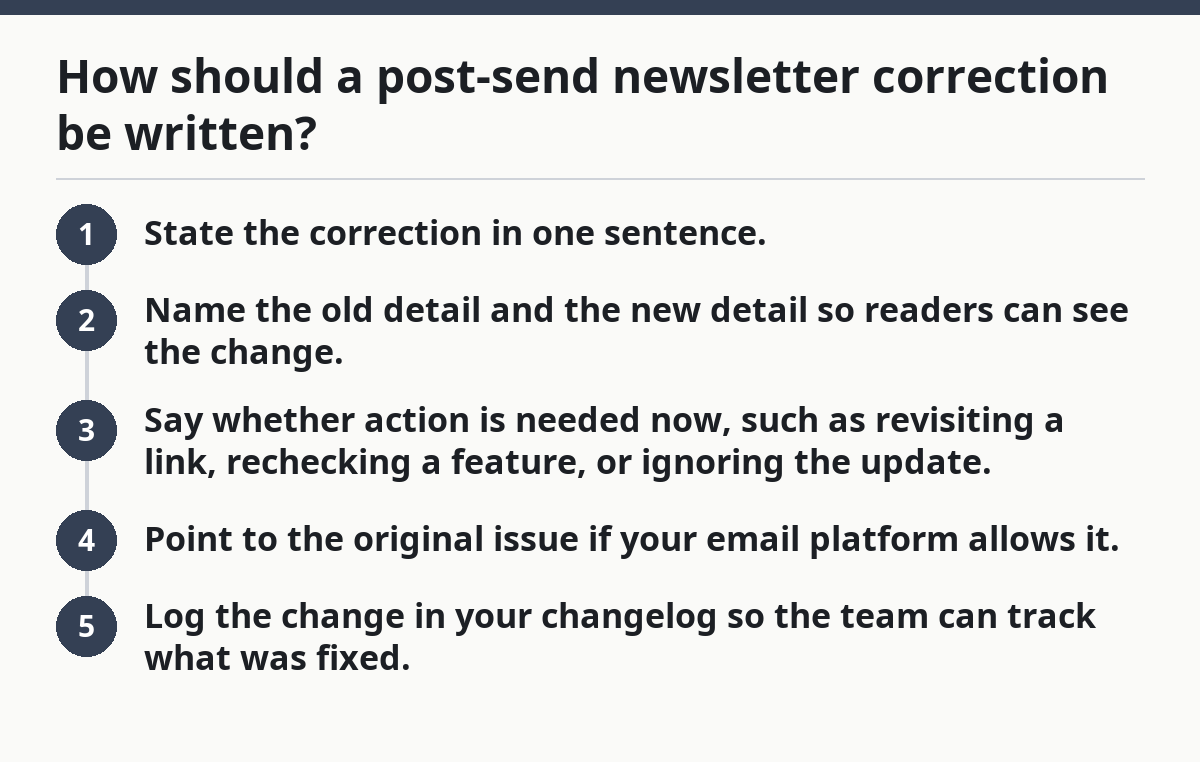
Use this order:
- State the correction in one sentence.
- Name the old detail and the new detail so readers can see the change.
- Say whether action is needed now, such as revisiting a link, rechecking a feature, or ignoring the update.
- Point to the original issue if your email platform allows it.
- Log the change in your changelog so the team can track what was fixed.
A strong correction note is often under 50 words in the subject line or top banner and no more than 2–4 sentences in the body. That keeps the fix visible without turning the whole send into a rerun.
Do not write:
- “Small correction”
- “Ignore the previous email”
- “Sorry for the confusion” without the actual correction
Write:
- “Correction: Tool X no longer offers Y in the free plan.”
- “Update: Tool X changed its model label after send; the recommendation still stands.”
When is a follow-up issue better than a correction note?
A follow-up issue is better when the late-breaking update changes the story, not just a line item. If the change affects why the tool was included, who it suits, or whether it belongs in the newsletter at all, send a second email.
Picture this: you featured an AI writing tool because it had a usable free tier, then the vendor removes that tier the same day. A tiny correction note would bury the real news. A follow-up issue lets you explain the new reality in full.
Use a follow-up issue when:
- the update changes reader value
- the tool’s price or access changed in a way that matters
- the original issue now needs a new recommendation
- the update is big enough that readers would expect a fresh take
Use a correction note when:
- the original advice still stands
- only one fact is wrong
- the fix is faster than rewriting the whole issue
This is where a lot of editors get trapped. They think a second send looks sloppy. In many cases, it does. But a clear follow-up issue is cleaner than a buried correction when the update is substantial.
If you send the follow-up, make the subject line unmistakable. Use a phrase like “Update on today’s AI tools issue” or “Correction and update” so readers know it is connected to the earlier email broadcast. If the update is limited to one tool, say so right away in the first sentence.
What should go into the changelog and issue errata?
The changelog should capture the fact of the change, the date, and the editorial decision you made. The issue errata should capture what readers need to know in plain English.
A changelog is for the team. An errata note is for the reader. They are not the same thing.
Keep the changelog entry tight:
- date and time of the update
- tool name
- what changed
- what was sent
- what action followed: correction note, follow-up issue, or no action
Keep the issue errata readable:
- the corrected fact
- the original wording, if needed for clarity
- the replacement wording
- any reader impact
Picture this: your newsletter mentioned three AI tools, and only one changed after send. Your changelog can list all three entries if needed, but the errata should focus on the one that broke. That keeps the public fix clean and the internal record complete.
A simple format works well:
- Original: “Free export is available.”
- Correction: “Free export is not available on the current plan.”
- Impact: “Readers should check the plan details before signing up.”
That kind of record helps in two places. First, it protects future issues from repeating the same mistake. Second, it gives you a clean source if a reader replies asking what changed.
If your team uses a shared editorial log, add the changelog entry the same day, not a week later. Delayed records are how repeated errors happen. The note doesn’t need to be long. It needs to be findable.
How do you notify readers without making it worse?
You notify readers by matching the size of the fix to the size of the mistake. A small factual correction should not become a dramatic apology tour.
Most readers only want to know what changed and whether they need to do anything. They do not need a long explanation of your editorial process.
Use this decision path:
- Inline correction note if your platform supports it and the email is still being opened.
- Follow-up email if the update changes the recommendation or materially affects the content.
- Website errata if the email is already buried and the correction is minor.
- No reader notification if the update does not affect what the reader can do with the information.
Keep the tone calm. Do not overstate the mistake. Do not hide it in a paragraph halfway down the email. Put the correction where a reader will see it fast: top of the message, subject line, or a clear update block.
If you send a correction email, make the subject line specific. “Correction: Tool X pricing changed after send” is better than “Important update.” It tells the reader exactly why the email exists.
One useful standard: if the correction changes a recommendation, notify readers in the same channel they used to get the original newsletter. If the original was an email broadcast, the fix should also be email unless the issue is too minor for a resend.
What are the most common mistakes after a sent issue?
The most common mistake is waiting too long, and the cost is simple: readers keep the wrong version in their inbox. The second mistake is overcorrecting, which makes the newsletter look unstable.
Picture this: a tool changes after send, and the team spends half a day debating tone while the wrong claim is still live in inboxes. That delay hurts more than a plain correction would.
Avoid these traps:
- Burying the fix in a later paragraph instead of leading with it
- Changing the whole issue when only one detail is wrong
- Using vague language like “some details changed”
- Skipping the changelog because the fix feels minor
- Posting a correction without the corrected fact
A fast correction can feel blunt, but a polished one that arrives late is worse. Readers care more about accuracy than style. They want the update, not the editorial debate.
One more mistake: treating all AI tool updates the same. A model rename, a pricing shift, and a feature rollback do not belong to the same response. A rename may need a note. A pricing shift may need a resend. A rollback may need both a correction and a follow-up issue. If you are unsure, consult a professional or check a reliable source before choosing the response.
If your newsletter covers tools that change often, create a standing correction policy before the next send. That policy should define who approves a correction, who writes it, and what threshold triggers a second email. You do not need a 20-page rulebook. You need a fast path.
What should the correction policy say before the next send?
A correction policy should say who decides, how fast the fix goes out, and what kind of change gets a follow-up issue instead of a note. Without that, every late-breaking update becomes a fresh debate.
Picture this: the next issue is already scheduled, and a tool’s access rules change 10 minutes before send. A policy gives the editor a rule, not a guess. That saves time and keeps the response consistent.
At minimum, your policy should cover:
- Who can approve a correction note
- Who owns the changelog entry
- What counts as material: price, access, feature availability, model name, or claim
- When to resend versus patch the original
- How to word the reader notification
A good policy also sets a cut line. For example, if the change happens before the day ends, the team reviews it immediately. If it happens after business hours, the fix waits until the next morning unless the error is severe. Use a real time window that fits your workflow, not a vague “as soon as possible.”
This is where the hub matters: the broader editorial system around newsletter structure and reader flow should already support quick fixes, so the correction process does not break the rest of the issue. That larger system should handle the plumbing. This page handles the decision after send.
Fast fixes protect trust. Cleaner prose protects tone. If the update changes the facts, speed wins.
How do you handle post-send corrections without confusing readers?
You handle post-send corrections by making the fix visible, narrow, and reusable. The reader should know what changed, why it matters, and whether the original email still stands.
Use one of three patterns:
- Tiny fact fix: correction note only
- Meaningful change: correction note plus changelog entry
- Major update: follow-up issue plus correction note
That pattern keeps your response proportional. It also prevents the next AI tool update from turning into a mess of half-fixes and duplicate sends.
The rule I use is simple: if the reader can finish the task with the corrected information, the correction note is enough. If the reader would choose a different tool, plan, or next step, send the follow-up issue.
What do you do when a newsletter has an error?
You correct the error, tell readers what changed, and record the fix in a changelog. The right response depends on whether the mistake changes the reader’s decision. If it does, send a correction note or a follow-up issue; if it does not, a quiet internal update may be enough.
How do you correct a sent newsletter?
You publish a clear correction note with the corrected fact first, then explain whether the original advice still stands. If the error changes the story, send a follow-up issue instead of relying on a small note. Keep the language plain and avoid vague phrases like “minor update.”
Should you send a correction email?
You should send a correction email when the wrong detail affects access, price, features, or any choice the reader might make. If the update is tiny and does not change use, a note in the original issue or a changelog entry may be enough. The goal is to match the size of the fix to the size of the error.
Drafted with AI; not yet reviewed by a person.
