
Last updated: November 19, 2026
Quick Answer: A free AI tools newsletter helps different roles by turning AI news into role-based workflow ideas, and the most useful version gives each reader 1 clear use case, 1 small test, and 1 next step.
A free AI tools newsletter helps different roles by turning a broad stream of AI news into role-based ideas people can use in a real workflow. That matters for marketers, designers, developers, operations teams, and educators, because each group looks for a different kind of gain: faster drafting, cleaner handoff, simpler automation, or a better way to spot tools worth trying.
Key takeaways
- A role-based newsletter is more useful than a generic AI roundup because it connects each tool to a job, not just a headline.
- Marketers, designers, developers, operations teams, and educators all need different signals, examples, and risk checks.
- The best use is not “read everything”; it is “scan for your role, save one item, try one workflow.”
- Teams get the most value when they turn newsletter items into a shared shortlist, a 15-minute review, or a simple pilot.
- It is not for people who want one universal AI tool for every problem. The whole point is that the right tool depends on the role.
Why role-based AI tools matter more than generic AI roundups
Role-based AI tools matter because the same tool can be useful for one person and useless for another. A marketer may care about headline generation and ad variants, while a developer cares about API access, model support, or code export. A designer may want image control and brand consistency. An operations lead may want repeatable process steps. An educator may care about lesson prep and student-safe use.
A generic newsletter usually lists tools by category: writing, image, video, automation, or chat. That can be a start, but it often leaves out the question that decides whether the item is useful: “Useful for whom?” A free AI tools newsletter that maps items to roles answers that question early. It saves the reader from translating a feature list into a workflow.
Because of that, the value is not stuffing more tools into an inbox. It is reducing search time. A person who works through 20 tabs, three browser bookmarks, and one team chat thread does not need another pile of names. They need a short path from “new tool” to “what I can do with it on Monday morning.”
That is why role mapping beats feature dumping. It also creates better triage. A newsletter can say, in plain language, “This one helps social teams draft 10 post options,” or “This one helps operations teams turn a SOP into a checklist.” That sentence is worth more than a list of seven adjectives.
How a free AI tools newsletter helps marketers
A free AI tools newsletter helps marketers by showing which tools can shorten content production without forcing them to rebuild the whole campaign process. That is the core value for email, paid social, SEO, landing pages, and content operations.
Marketers tend to move between channels fast. A newsletter built for role-based use cases helps them see where a tool fits in a 3-step workflow: idea, draft, and variation. For example, a tool that generates subject line options may be useful only if it also supports brand tone or A/B-style variation. A tool that rewrites ad copy may be useful only if it can produce 5 or 10 variants at a time. The number matters because campaign work is rarely about one perfect line; it is about enough options to test.
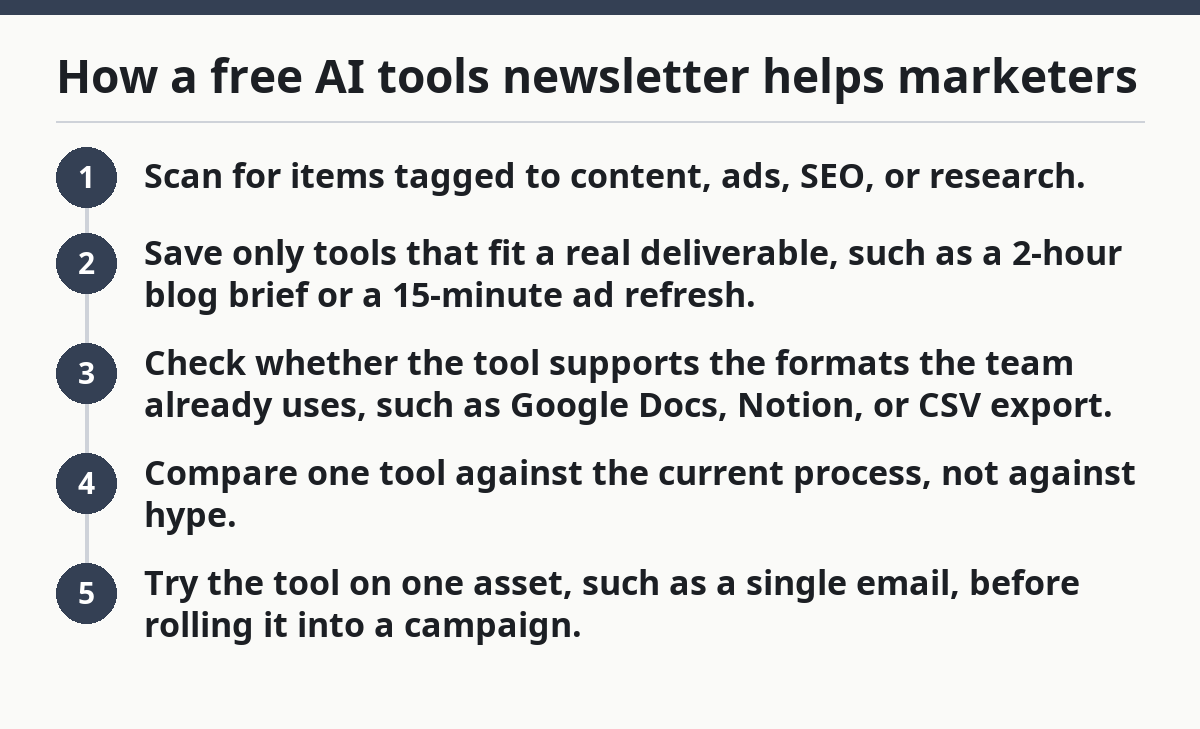
For that reason, a marketer can use the newsletter to build a weekly shortlist:
- Scan for items tagged to content, ads, SEO, or research.
- Save only tools that fit a real deliverable, such as a 2-hour blog brief or a 15-minute ad refresh.
- Check whether the tool supports the formats the team already uses, such as Google Docs, Notion, or CSV export.
- Compare one tool against the current process, not against hype.
- Try the tool on one asset, such as a single email, before rolling it into a campaign.
The trade-off is obvious: more speed can produce more sameness. If every marketer on a team uses the same prompt pattern, the output starts to blur together. A good newsletter should make that risk visible by showing use cases, not just “faster copy.” It should also point out when a tool is better for brainstorming than for final production.
Marketers are a strong fit when they need a steady flow of practical prompts, examples, and tool categories they can test in under 30 minutes. They are a poor fit if they want one magic writing tool and no process change at all.
How can developers use an ai tools newsletter?
Developers can use an ai tools newsletter to separate toy demos from tools that may actually fit a build, a stack, or a support workflow. That is the real value: less time chasing product pages, more time spotting what deserves a sandbox trial.
Developers care about different signals than marketers do. A code assistant, workflow agent, or API-based tool matters only if it matches the environment. The newsletter becomes useful when it surfaces details like model support, SDK availability, export options, authentication setup, or whether the product is suited for local testing versus team use. A developer does not need a long sales pitch; they need enough facts to decide whether the tool belongs in a prototype.
A practical developer workflow looks like this:
- Scan for tools that mention API, SDK, code generation, debugging, or automation.
- Read for integration hints, such as REST endpoints, webhook support, or file export.
- Compare the tool to one real task, such as generating a test fixture, summarizing logs, or drafting documentation comments.
- Put the best candidate into a 1-hour sandbox session, if the stack and team policy allow it.
- Decide whether it belongs in a throwaway experiment, a side project, or the stack.
That last step matters. A newsletter can help developers avoid the mistake of treating every new tool as production-ready, but the safest approach is to verify reliability, permissions, and audit needs with a professional or internal security review when a tool could touch production systems. The National Institute of Standards and Technology’s AI Risk Management Framework is a useful reference for that kind of assessment: https://www.nist.gov/itl/ai-risk-management-framework.
A good newsletter also helps developers spot adjacent uses that are easy to miss. For example, a tool marketed to writers may still be useful for parsing support tickets or converting messy notes into structured issue text. That cross-role idea saves time, but only if the newsletter spells out the workflow clearly.
Developers are not the audience for vague claims about “innovation.” They are the audience for a fast read, a model name, a use case, and a reason to try it or ignore it.
What do designers get from a role-based newsletter?
Designers get faster discovery of tools that affect ideation, image generation, layout support, and review cycles. A role-based newsletter helps them sort between tools that create usable assets and tools that only make visual noise.
Design work has a different risk profile than writing or admin tasks. A tool can be exciting and still be unusable if it ignores brand rules, distorts assets, or makes revisions harder. That is why designers benefit from newsletters that name concrete workflow stages: moodboarding, concept exploration, variant generation, asset cleanup, or rapid mockup support.
The most useful item in a design-focused newsletter is often not “a better image tool.” It is a tool that fits one stage of the process. A design lead may care about whether a tool can preserve aspect ratio, export layered files, or keep a consistent visual style across 6 variants. Those details decide whether the tool saves 20 minutes or creates another round of cleanup.
Designers also use newsletters differently from marketers. A marketer may read for copy output; a designer may read for input quality. If the inputs are weak, the output wastes time. A newsletter that maps a tool to the exact stage of use helps a designer skip that mismatch.
The trade-off is creative drift. AI tools can make it easy to generate many versions quickly, but quantity is not the same as direction. A newsletter is useful when it helps a designer ask, “Does this tool support my process?” instead of “Can this tool make something?” Those are not the same question.
This role is a strong fit for newsletters that include examples, workflow notes, and constraints. It is not a fit for a list of flashy thumbnails with no production detail. For broader guidance on evaluation and trust, the U.S. General Services Administration’s AI guidance can also help teams frame responsible use: https://www.gsa.gov/technology/it-contract-vehicles-and-purchasing-programs/artificial-intelligence.
How can operations teams use an ai tools newsletter?
Operations teams can use an ai tools newsletter to spot repeatable automations, reduce manual copy-paste work, and standardize small processes across a team. That is the practical win: fewer ad hoc tasks and more consistent execution.
Operations teams live in the middle of process, so they need tools that move information cleanly from one step to another. The most useful newsletter items for this group usually mention task routing, document parsing, checklist creation, meeting summaries, or structured handoffs. A tool that looks modest on the surface may still be valuable if it cuts 10 minutes from a task that happens 30 times a week.
The core workflow is simple:
- Look for tools tied to process, admin, scheduling, intake, or internal support.
- Match each tool to a single recurring task, such as converting a form submission into a ticket.
- Check whether the output can be standardized in a format like CSV, JSON, or a shared doc.
- Pilot the tool with one team or one queue instead of rolling it out broadly.
- Track whether the team gains speed, clarity, or fewer handoff mistakes.
The drawback is governance. Operations teams cannot chase every promising tool. If a product touches customer data, permissions, or shared records, the team needs a review path before use. A newsletter should help here by flagging where a tool is best kept in low-risk tasks first, and privacy or records rules should be checked with the relevant policy owner or legal contact when needed.
This is one reason a role-based newsletter beats a generic one. Operations people do not need a list of 20 AI chat products. They need a short list of workflow helpers that reduce friction without making the process harder to audit. The best use case is usually a narrow one: one queue, one checklist, one bottleneck.
How do educators use these newsletters without wasting time?
Educators use these newsletters best when they filter for lesson prep, feedback support, content adaptation, and student-safe workflow ideas. That is the useful lens: saving time while keeping the classroom task clear.
Education has its own constraints. A tool that helps draft a reading passage may not help if it is inaccurate, too advanced, or hard to adapt for different grade levels. A newsletter is useful when it names that limitation and shows the educational use case plainly. A lesson-planning tool is only useful if it saves prep time and still fits the class objective.
Educators often need small, repeatable wins rather than one dramatic change. A newsletter can point them toward tools that help rewrite a text at a simpler reading level, draft quiz questions, summarize a long article into key points, or organize resources into a lesson outline. Those are low-friction tasks that fit a 20- to 30-minute prep window.
The practical rule is to treat the newsletter as a filter, not a curriculum, while still checking local policy and professional guidance when a tool affects student data, assessment, or accessibility. Scan for tools that reduce repetitive prep work, then test them on one lesson, one handout, or one rubric. If the tool adds confusion, it stays out of the classroom workflow. If it speeds up prep without weakening the material, it earns another use. UNESCO’s guidance on AI in education is a credible starting point for that broader review: https://www.unesco.org/en/artificial-intelligence/education.
Educators should be more cautious than most roles when the tool touches student work. A newsletter can still be useful here, but only when it points to tasks with low risk and clear human review. That is the honest trade-off: time saved on prep can be real, but it should not come from unreviewed output.
For educators, the best newsletter item is short, specific, and classroom-ready. Anything vague is a distraction.
How teams turn one newsletter into a shared workflow
Teams turn one newsletter into a shared workflow by using it as a weekly source of candidates, then making one person responsible for triage and one small experiment. That keeps the newsletter from becoming another unread inbox item.
The simplest team process works in 15 minutes:
- Choose one reviewer for the week.
- Review only the items that match the team’s role or current bottleneck.
- Put 1 to 3 tools into a shared note with a one-line use case for each.
- Pick one tool for a 7-day pilot.
- Review the result in a short team check-in and decide whether to keep, pause, or discard it.
This works because it limits noise. A team does not need to test every tool. It needs a repeatable way to choose. If the newsletter covers marketers, designers, developers, operations teams, and educators, a cross-functional group can still use it well by assigning each role a lane. One person scans for content tools, another for workflow automation, another for classroom or training support.
The real value shows up in shared vocabulary. When the newsletter maps a tool to a role, the team can discuss use cases without translating the tool from scratch. That reduces the usual friction: “What does this do?” “Who is it for?” “Can we use it?” The newsletter has already answered half of that.
This is also where a free AI tools newsletter links back to the broader hub on free AI tools newsletter use. The best team use is not broad curiosity. It is a narrow feed of candidates that fit one workstream and one trial window. If a team does not create that filter, the newsletter turns into background noise.
What a generic AI newsletter gets wrong about roles
A generic AI newsletter gets the roles wrong by treating every reader as if they need the same information in the same order. That wastes attention and hides the real use case.
The biggest mistake is feature-first writing. “New model, new interface, new output” sounds active, but it does not tell a marketer, designer, developer, operations lead, or educator what changes in their day. Another mistake is skipping constraints. A tool that looks useful for one role may be poor for another because it needs technical setup, allows too much variation, or is too general for a classroom or production workflow.
A third mistake is pretending that adoption is immediate. In reality, many tools need a small trial: 1 asset, 1 workflow, 1 week. A newsletter that ignores that time frame leaves the reader with enthusiasm and no plan. Role-based writing fixes that by showing the first practical step.
The honest bottom line is simple. A free AI tools newsletter helps different roles when it respects the work each role actually does. It is wrong for readers who want a universal answer, a fully automated process, or a feed that never asks them to choose. The useful version narrows the field, then points to one concrete next step.
Drafted with AI; not yet reviewed by a person.
