
Last updated: November 20, 2026
Quick Answer: review 4 live sources — the pricing page, free tier, trial limits, and changelog — before the next issue goes live. If a plan name, quota, or trial window changed, update the note in the draft and move the tool into or out of the issue before publication. This is the practical way to handle How to Review AI Tool Pricing Changes Before the Next Issue without relying on memory.
Key takeaways
- Treat pricing as a fresh check, not a memory test.
- Start with the tool’s own pricing page, then look for a changelog or release note, or consult a professional if the pricing wording is unclear. OpenAI’s pricing page is a useful example of a live source to verify directly: https://openai.com/pricing
- Free tier changes often show up as quota cuts, new caps, or new login rules rather than a headline price change.
- A short comparison table makes it easier to spot which tools still belong in the next issue.
- If a note is stale, fix the draft before publication and keep the archive clean.
What should you check first?

Check the pricing page first, then the free tier, the trial limits, and any changelog the tool provides. That order catches the changes that matter most for a newsletter issue, because the headline price is only one part of the offer.
The pricing page usually shows the current plans and the names of the tiers. The free tier may now require an account, may have tighter usage caps, or may have been folded into a trial. Trial limits can change without a plan name changing at all, so a note that once looked safe can go stale fast.
This is the part many generic guides miss: the issue is not only “Did the price change?” It is also “Did the offer change in a way that makes the tool less free, less usable, or less worth featuring?” For a newsletter tied to free AI tools, that difference is the whole job.
If a tool has both a pricing page and a changelog, read both. A changelog can explain a new limit or a shifted feature set that the pricing page leaves vague. OpenAI and Anthropic both maintain pricing pages, and a reader checking the source can see the current plan structure there rather than relying on a stale roundup note: https://www.anthropic.com/pricing
How do you review AI tool pricing changes?
Review AI tool pricing changes by comparing the current pricing page with the note already in the draft, then deciding whether the tool still fits the issue. The goal is not to document every change; the goal is to stop a wrong price, missing limit, or expired trial from reaching readers.
- Open the pricing page and compare the current plan names, feature list, and tier labels against the draft note.
- Check the free tier for quota changes, login requirements, or feature removal that make the offer less generous than the draft says.
- Read the trial limits for duration, credit caps, or usage rules that affect a reader’s first visit.
- Look for a changelog to catch silent changes that the pricing page does not explain.
- Mark the draft with the date of the check so the next edit starts from a known point.
- Decide whether the tool stays in the issue as written, stays with an updated note, or gets dropped.
That process works because it keeps each check tied to one source of truth. A pricing page tells you what the company wants live now. A changelog tells you what moved. The draft tells you what the reader will see.
The common mistake is to copy a note from the last issue and only glance at the homepage. That saves minutes and risks an outdated recommendation. For a newsletter, the cost is trust: once a reader clicks through and sees a different free tier, the issue looks sloppy even if the rest is accurate.
Which changes matter most in a newsletter?
The changes that matter most are the ones that affect what a reader can actually do in 1 visit, 1 sign-up, or 1 trial. A tool can keep the same monthly price and still become a worse fit for a free-tools newsletter.
Use this comparison to decide what deserves a rewrite:
| Change type | What it can mean for the issue | What to do |
|---|---|---|
| Free tier change | The tool may no longer be free in the way the draft describes | Rewrite the note or remove the tool |
| Trial limit change | A reader may get fewer days, credits, or runs than before | Update the limit and add the new constraint |
| Plan comparison change | A feature may move into a paid plan | Recheck whether the free version still matches the pitch |
| Changelog entry | The company may have changed access rules without changing the headline price | Add a note in the draft and flag it for review |
| Editorial correction | The draft may have copied an old plan name or wrong cap | Fix the text before publication |
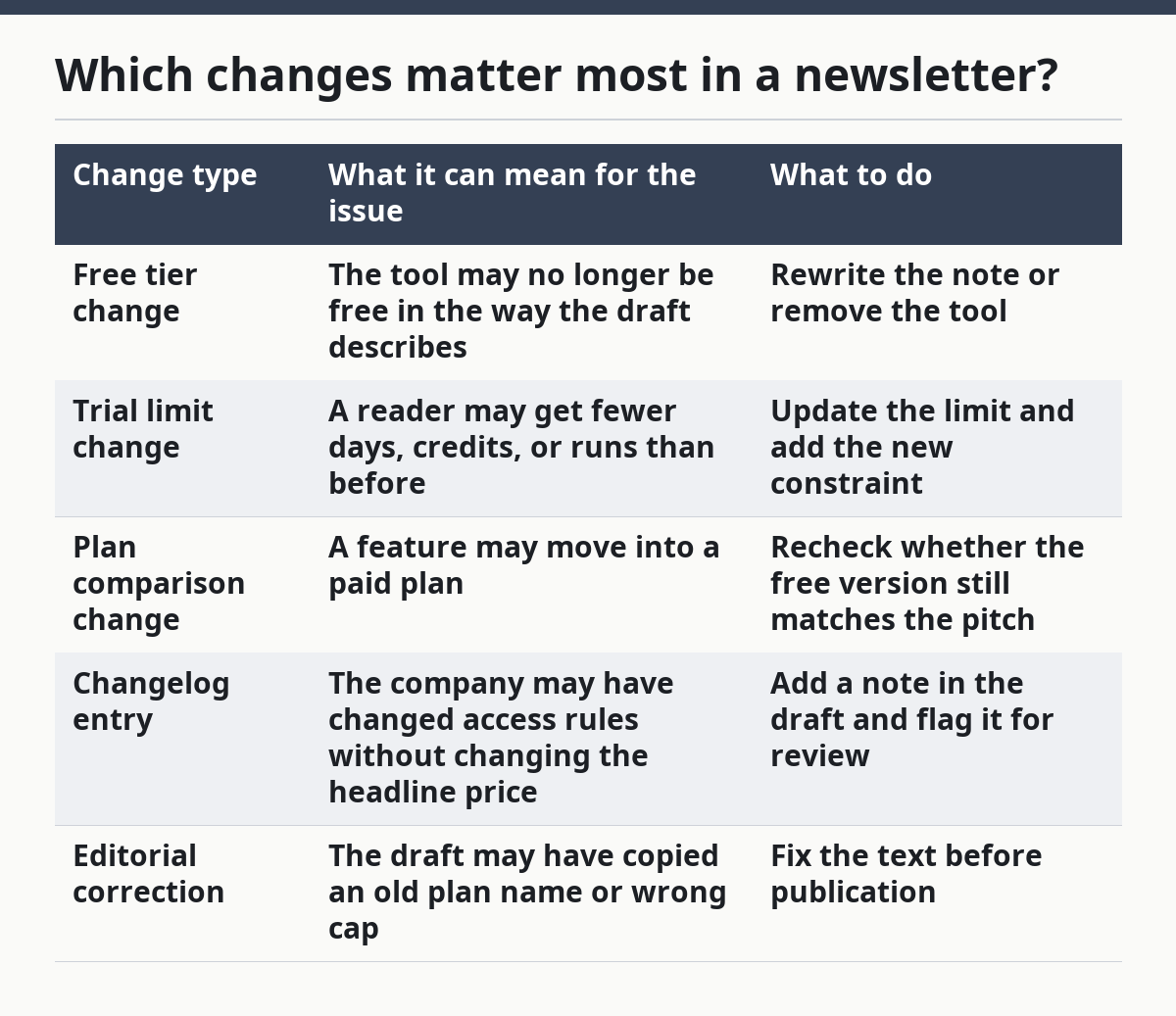
This table is useful because not every change deserves the same reaction. A name tweak on a paid tier is less urgent than a cut to the free tier. A silent trial cut is usually more serious than a cosmetic page rewrite.
A generic roundup often treats all changes as equal, so it helps to consult a professional if the shift affects a recommendation or a published correction. That creates clutter. The better move is to rank them by reader impact, then spend time only where the issue would mislead someone.
How do you keep the issue accurate without slowing publication?
Keep the issue accurate by using a fixed update cadence and a small correction rule set. A weekly or issue-by-issue review works better than a vague “check again later” habit, because every draft gets the same treatment before it ships, and if the rule needs judgment, consult a professional or a subject-matter editor.
Set one routine for the team or the draft owner: pricing page, free tier, trial limits, changelog, then final note check. If a tool changed since the last draft, update the wording in the issue itself and in any editorial correction note that lives with the draft. That keeps the next issue from repeating the same mistake.
A good rule is simple: if the current page no longer supports the sentence in the draft, the sentence changes or comes out. That sounds strict, but it can prevent a clear-looking newsletter note from being wrong by one small detail.
This is also where archives matter. If old issues stay public, the pricing note in the archive should not pretend the old terms are still current unless the archive is clearly dated. Readers who arrive later need the old context, not a false present tense.
What should go in the editorial note?
The editorial note should say what changed, where it was checked, and what the reader should trust now. A short note with a date is enough when the change is minor; a fuller correction is better when the free tier or trial limits changed in a way that affects the recommendation.
A useful note usually includes three parts: the tool name, the source checked, and the date of the check. If the pricing page and changelog disagree, say so plainly and choose the wording that matches the live source. If the draft used the wrong plan name, replace it instead of explaining the mistake in the body unless the error was already public.
This is one place where a generic article often gets lazy. It talks about “staying updated” but does not say how to document the update. Without a note, the same error can reappear in the next issue or in a reused template.
A clean correction is not drama. It is proof that the editorial process is working. For a reusable template, keep the correction line short and specific, then move on.
What does a clean review look like before send?
A clean review ends with the draft matching the live pricing page, the free tier, the trial limits, and any changelog note that affects the issue. If all four line up, the tool can stay in the issue with confidence.
Before send, scan the draft for three weak points: old plan names, old free-tier language, and vague claims like “still free” or “good starter option” that no longer have a source in the current page. If any of those phrases survive the check, the draft is not ready.
This is also the point to decide what gets removed. A tool that used to fit the issue but no longer does should be cut rather than defended. That choice protects the whole newsletter, including the stronger picks.
For a newsletter team building a free AI tools roundup, this process fits cleanly into the larger workflow behind the free AI tools newsletter hub without repeating the hub’s job here. The point is simple: the issue should show the current offer, not the memory of it. When in doubt, compare the draft with the live source before publication.
How do you know when an AI tool changes pricing?
You know an AI tool changes pricing when the pricing page, free tier, trial limits, or changelog no longer match the note in your draft. Start with the live page, then check whether the change affects the reader’s access, not just the company’s wording. That is the quickest way to keep the next issue accurate.
Should old pricing notes be updated in an archive?
Old pricing notes should be updated only when the archive is meant to stay current. If the archive is historical, keep the old note but make the date clear so readers do not mistake past pricing for today’s offer. A dated archive note helps the reader see whether the price was current on the day it was published.
What if pricing changes after publication?
If pricing changes after publication, update the live issue note as soon as possible and make the correction visible where readers will see it. If the change affects the recommendation itself, the cleaner move is to revise the tool entry or remove it rather than leave a misleading endorsement in place. In practice, that means checking the live page, updating the number, and noting the date.
Drafted with AI; not yet reviewed by a person.
