
Last updated: November 19, 2026
Key Takeaways
- A newsletter issue gives you three reuse layers: main idea, support points, and quotable lines.
- Pull one idea at a time from a newsletter issue, then match it to the platform format.
- One newsletter issue can take about 20 to 30 minutes to reuse if you follow the same order.
- Different platforms reward different shapes, so one line will not perform the same way everywhere.
A finished newsletter issue can become a week of social posts, quote cards, and short clips without rewriting the whole thing. How to repurpose a newsletter issue into social posts and short-form content starts by pulling one idea, one proof point, and one strong line from the issue, then adapting each piece for LinkedIn, X, Threads, and Canva. The steps below show what to keep, what to cut, and what each format needs.
What counts as reusable from a newsletter issue?
A newsletter issue gives you three reuse layers: the main idea, the supporting points, and the exact lines worth quoting. That’s the raw material for LinkedIn, X, Threads, and Canva posts.
For context, Buffer’s 2025 benchmark report on social media engagement and Hootsuite’s 2025 social trends report both point to the same practical reality: format matters more than copying text across channels. You can read more in the Buffer Social Media Benchmark Report and Hootsuite’s Social Trends.
Picture this: you’ve already shipped the issue, and now the empty social calendar is staring back at you. You don’t need a new brainstorm. You need a clean extraction pass that turns one issue into 3 to 10 usable assets without breaking the original message.
Therefore, start with the parts that still make sense when taken out of email:
- The core promise of the issue
- One sharp takeaway per section
- A sentence that sounds good on its own
- A short example, list item, or comparison
- Any line that can stand as a quote card
Skip these unless they still work alone:
- Internal links and “read more” nudges
- Private references that only make sense inside the email
- Long setup paragraphs
- Anything that depends on the previous sentence to land
The better repurposing comes from separating message, proof, and format. Message becomes the post topic. Proof becomes the body. Format becomes the wrapper: thread, carousel, quote card, or short text post.
In practice, that means you are not searching for a polished final asset; you are sorting the issue into parts that can travel.
How do you turn a newsletter into social content?
You turn a newsletter into social content by extracting one idea at a time, then matching that idea to the platform’s shape. A newsletter issue is too wide for one post, so the job is to split it into small, distinct pieces with one job each.
Picture this: your issue has a strong opening, three useful sections, and one line you know readers will highlight. That is not one post. That is a content pack.
Use this order every time:
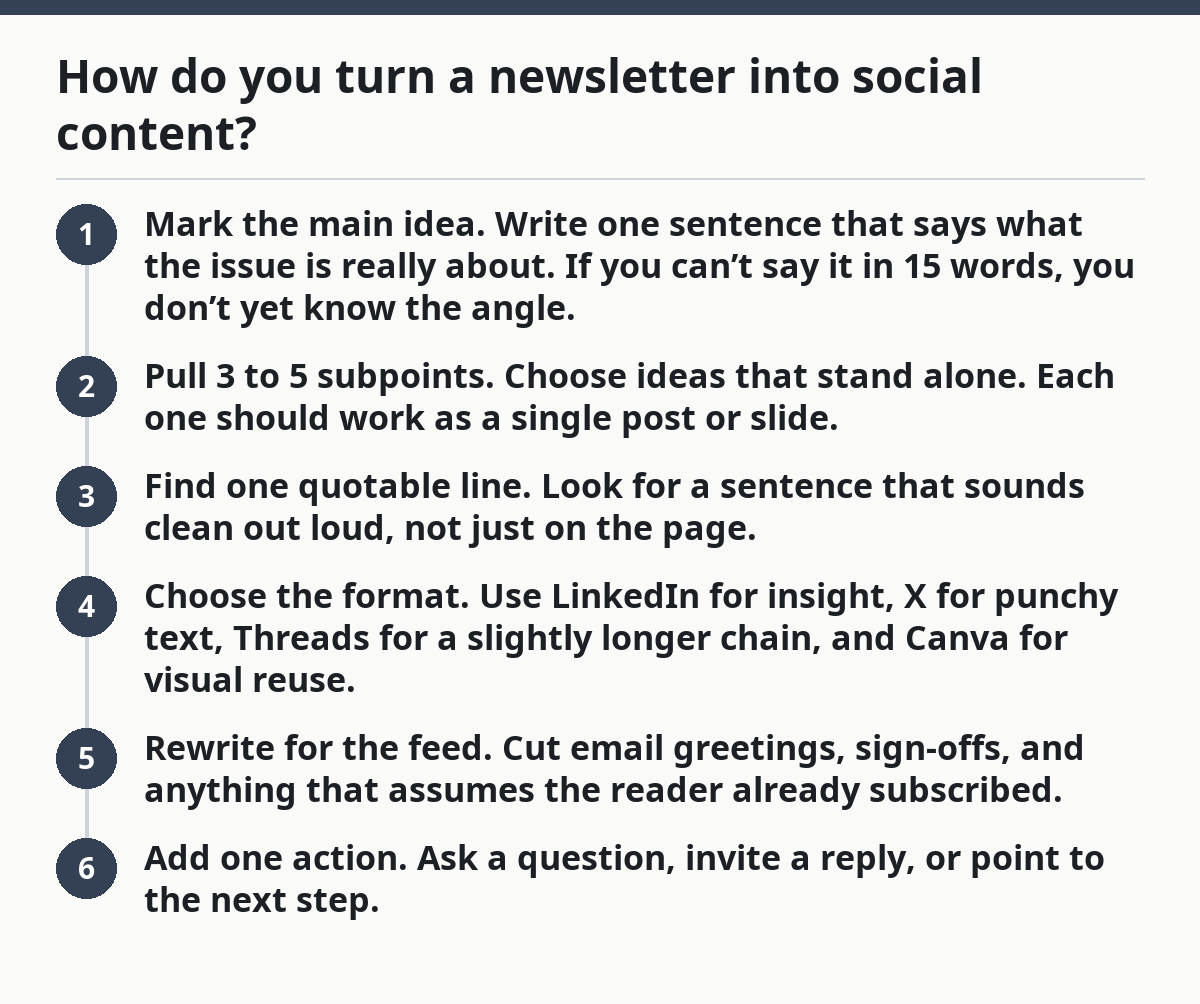
- Mark the main idea. Write one sentence that says what the issue is really about. If you can’t say it in 15 words, you don’t yet know the angle.
- Pull 3 to 5 subpoints. Choose ideas that stand alone. Each one should work as a single post or slide.
- Find one quotable line. Look for a sentence that sounds clean out loud, not just on the page.
- Choose the format. Use LinkedIn for insight, X for punchy text, Threads for a slightly longer chain, and Canva for visual reuse.
- Rewrite for the feed. Cut email greetings, sign-offs, and anything that assumes the reader already subscribed.
- Add one action. Ask a question, invite a reply, or point to the next step.
Here’s a simple mapping:
- LinkedIn post: one idea + short context + a practical takeaway
- X post: one claim, contrast, or observation in 1 to 3 posts
- Threads post: a fuller narrative, usually 4 to 8 short posts
- Canva quote card: one line, one visual, one clean source note if needed
Accordingly, the goal is not to preserve the email word for word. It is to keep the idea intact while changing the delivery.
The truth is, most newsletters are too dense for a direct copy-paste job. A safer move is to treat the issue like a source file, not a finished post, and if the topic involves legal, medical, or financial advice, consult a professional and verify it against a reliable source before publishing. That keeps the content fresh across channels and avoids the flat feeling that comes from reposting the same paragraph everywhere.
A simple extraction workflow for one issue
You can repurpose one newsletter issue in about 20 to 30 minutes if you use the same extraction order each time. The point is not speed for its own sake. The point is to avoid hunting through the issue twice.
Picture this: the issue is open in one tab, and a draft post doc sits in another. You’re not inventing new ideas. You’re sorting what already exists into containers that fit social.
Then use this workflow:
- Highlight the top line. Pick the sentence that states the issue’s main point. Turn it into a title or hook for the post.
- Collect 3 supporting lines. Choose lines that add evidence, examples, or contrast. These become the body of a LinkedIn post or a short thread.
- Extract 1 quote-worthy sentence. Look for something that reads cleanly on its own. That becomes a quote card or a single-post hook.
- Pull 1 practical tip. Find one action the reader can use today. This works well for Threads or X because it gives the post a clear payoff.
- Check each piece alone. Read it without the rest of the issue. If it feels thin, add context or drop it.
- Assign each piece a home. Put the strongest idea on LinkedIn, the sharpest line on X, and the cleanest visual line in Canva.
Because the extraction pass is mechanical, it also catches the awkward stuff. Remove email-only phrases like “in this issue” or “as promised above.” Those lines make sense in inbox reading, but they weaken a social post fast.
A useful rule: if a sentence needs two previous paragraphs to make sense, it is not a social asset yet. Trim it until the point stands up by itself. Not every good newsletter sentence deserves a second life.
Which parts work best on LinkedIn, X, Threads, and Canva?
Different platforms reward different shapes, and the same newsletter line will not perform the same way everywhere. LinkedIn likes a short point with context. X likes speed. Threads likes sequence. Canva likes visual clarity.
Picture this: you’ve got one issue and four channels to fill. The mistake is making all four sound identical. Instead, let each platform keep its own job.
Use this fit guide:
- LinkedIn: best for analysis, lessons learned, and thoughtful opinion
- X: best for sharp takes, short lists, and one strong sentence
- Threads: best for step-by-step explanation or a mini story
- Canva: best for quote cards, stat cards, comparison slides, and list slides
A newsletter issue often gives you one LinkedIn post, one X thread, one Threads post, and one or two Canva cards from the same core idea. That is usually enough to stretch a single issue into a multi-day distribution plan.
Here’s the catch: not every section should become a post. If a paragraph only supports the main idea, leave it where it is. Support text is not always social text. Over-recycling creates posts that all sound like footnotes.
The best repurposing keeps the platform promise intact. LinkedIn should read like a useful thought from a person who knows the topic. X should get to the point before the reader scrolls. Threads should reward the scroll with structure. Canva should be legible in a glance.
How to make quote cards and short-form visuals from the issue
You make quote cards and short-form visuals by choosing one line that can survive without the rest of the article and designing around that single sentence. A visual post is not a screenshot of your email. It is a clean, readable asset.
Picture this: you open Canva and drop in the first sentence that felt good in the newsletter. That often fails. A quote card needs a line that is short, specific, and complete enough to stand alone.
Use these rules for visual reuse:
- Keep the quote to one idea
- Keep the background simple
- Keep the type large enough for mobile
- Keep the source text small but readable
- Keep the line free of email clutter
A strong quote card usually comes from a sentence that has one of these traits:
- A clear contrast
- A plain truth
- A useful definition
- A sharp warning
- A memorable reframe
Short-form visuals also work well when you turn one newsletter section into a 3-slide or 5-slide carousel. Slide 1 hooks the reader. Slides 2 to 4 carry the idea. The last slide gives the takeaway or action.
Don’t overload the card with a full paragraph. That turns a visual asset into a poster no one reads. If the line is too long, trim it or use a different sentence. The best quote cards feel almost obvious once you see them. That is the point.
Common mistakes when repurposing a newsletter issue
The biggest mistake is copying the newsletter as-is and calling it repurposed content. That produces posts that are too long, too internal, and too tied to the original email layout.
Picture this: the issue has headings, transitions, and a close that works in inbox format. On social, those same pieces can feel bulky or flat. Repurposing is translation, not duplication.
Avoid these mistakes:
- Using the whole issue as one post. Cost: low engagement and a wall of text. Do this instead: split one issue into several assets.
- Keeping email phrasing. Cost: the post sounds written for subscribers, not for a feed. Do this instead: remove internal cues and speak directly to the reader.
- Choosing weak lines for visuals. Cost: quote cards that look fine but say nothing. Do this instead: use one sentence with a real point.
- Forcing every section into social. Cost: more output, less quality. Do this instead: leave out the parts that only work inside the newsletter.
- Posting the same angle everywhere. Cost: channel fatigue. Do this instead: change the entry point for each platform.
On the flip side, the best repurposing creates variety from one source. One idea can become a LinkedIn reflection, an X thread, a Threads mini-lesson, and a Canva card. Same source. Different shape. Better reach.
A practical test helps here: if the post could only exist because of the newsletter layout, it is not ready for social. If it still works after you strip away the email frame, you’ve got something worth publishing.
A reuse system that keeps working after the first issue
A repeatable reuse system means you can turn every finished issue into a small content set in the same 15-minute pattern. That saves decision time and keeps the quality steadier from week to week.
Picture this: the newsletter is done, and you want a process that doesn’t depend on mood. You need a simple handoff from issue to social, not a fresh brainstorm every time.
Use the same three-bucket system:
- Bucket 1: direct reuse. Pull the best line for a quote card or short post.
- Bucket 2: derived posts. Turn one section into a LinkedIn post or a Threads chain.
- Bucket 3: angle shifts. Take the same idea and frame it as a mistake, a lesson, or a question.
This gives you a clean way to assign content fast. The issue becomes a source of assets, not a one-off publish event.
The best part is that you can stop asking, “What should I post today?” and start asking, “Which part of the issue deserves a different shape?” That question is much easier to answer.
A simple weekly rhythm looks like this:
- Finish the issue.
- Mark 3 reusable lines.
- Draft 1 LinkedIn post.
- Draft 1 X post or thread.
- Draft 1 Canva visual.
- Schedule them in Buffer or another scheduler you already use.
Buffer is useful here because the repurposed assets are already separated by format. That makes scheduling cleaner and keeps the output from feeling repetitive in the queue.
A practical way to keep the content from sounding repeated
You keep the content from sounding repeated by changing the angle, not just the wording. A newsletter issue might contain one big idea, but social needs several entrances into that idea.
Picture this: the same issue could be framed as a mistake, a shortcut, a lesson, or a checklist. Each angle reaches a different reader without requiring a new topic.
Try these angle shifts:
- From insight to action: turn a concept into a step
- From explanation to warning: show what goes wrong
- From summary to example: use one concrete case
- From argument to question: invite response
- From broad point to line-by-line breakdown: use a thread
This is where many generic guides fall short. They say “repurpose your content” but skip the actual editorial work of angle selection. That’s the part that makes the same source feel fresh.
If the issue has multiple sections, you do not need to recycle all of them. Pick the ones with the most tension, clarity, or usefulness. Then give each one a different wrapper. That is how one newsletter issue becomes several social posts without sounding like copy-paste.
The result is simple: more distribution, less dead weight.
If the goal is to build a bigger content system around the newsletter itself, the broader editorial structure in Newsletter structure and editorial strategy — The Complete Guide fits this workflow well.
How do you turn a newsletter into social content?
You turn a newsletter into social content by pulling out one main idea, a few supporting points, and one line that stands alone well. Then you match each piece to the right format: LinkedIn for insight, X for brevity, Threads for sequence, and Canva for visuals. The newsletter becomes source material, not the final shape.
What can you reuse from a newsletter issue?
You can reuse the core idea, section takeaways, short examples, and any sentence that reads cleanly on its own. Internal links, email-only phrasing, and long setup paragraphs usually do not work well outside the inbox. The best reuse comes from lines that still make sense when the rest of the issue is gone.
How do you repurpose newsletter content?
You repurpose newsletter content by translating it into new formats, not by copying it whole. That means changing the structure for each channel, trimming the context, and giving each post one clear job.
Drafted with AI; not yet reviewed by a person.
