
Last updated: November 19, 2026
Key Takeaways
- Watch four source types for useful AI tools: Product Hunt, tool directories, creator communities, and launch pages.
- A tool deserves a slot when it solves a clear task, has enough proof to trust the claim, and fits a free issue.
- On Product Hunt, check the launch, comments, and maker replies, then skip tools with no real use case.
- Good tool directories usually have tight categories, active submissions, and filters by use case.
Free AI tools are easy to find; finding the ones worth featuring without chasing hype is the hard part. This guide on how to find AI tools worth including in a free newsletter without chasing hype shows a repeatable discovery process, from source hunting to the final filter. It settles which places to watch, what to ignore, and how to keep your stack full without filling your issue with junk.
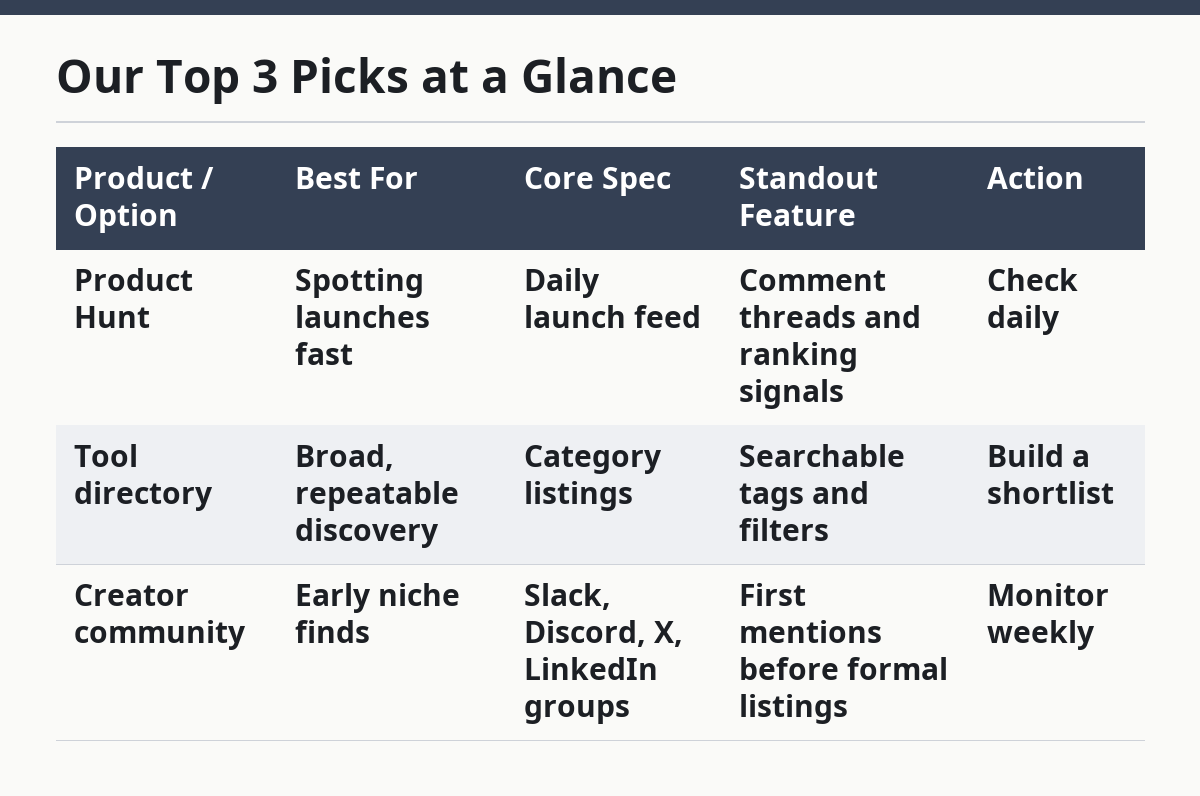
Our Top 3 Picks at a Glance
- #1 Top Pick: Product Hunt, for launch-day discovery and fast signals from real users.
- #2 Budget Pick: Tool directories, for steady volume and broad coverage without paying for access.
- #3 Power Pick: Creator communities, for early chatter and niche tools before they hit bigger lists.
| Product / Option | Best For | Core Spec | Standout Feature | Action |
|---|---|---|---|---|
| Product Hunt | Spotting launches fast | Daily launch feed | Comment threads and ranking signals | Check daily |
| Tool directory | Broad, repeatable discovery | Category listings | Searchable tags and filters | Build a shortlist |
| Creator community | Early niche finds | Slack, Discord, X, LinkedIn groups | First mentions before formal listings | Monitor weekly |
Find the best AI tools by watching the right places
You find useful AI tools by watching four source types: Product Hunt, tool directories, creator communities, and launch pages. For how to find AI tools worth including in a free newsletter without chasing hype, start there, and you get a steady feed without relying on viral posts or random searches.
Picture this: you’re filling next Thursday’s issue and need one fresh tool, not ten. You open the same 3 or 4 sources each week, skim for fit, and skip anything that looks like a demo dressed up as a product.
The catch is that each source has a different job. Product Hunt catches momentum, directories catch breadth, communities catch early chatter, and launch pages tell you what a maker actually built.
Use this short source stack:
- Product Hunt: best for public launches and comment clues
- Tool directories: best for category browsing and comparison
- Creator communities: best for tips from builders and heavy users
- Launch pages: best for claims, pricing, and feature lists
- Tool alerts and social listening: best for catching tools before they spread
A generic article stops at “search online.” That misses the point. You need a repeatable watch list, not a scavenger hunt.
What makes a tool worth your free newsletter?
A tool is worth featuring when it solves a clear task, shows enough proof to trust the claim, and fits a free issue without forcing a hard sell. That sounds simple, but most bad picks fail on one of those three points.
Picture this: you find a flashy AI app with a long feature list and a polished landing page. The page says “free,” but the tool is really a trial, a waitlist, or a thin wrapper around a model everyone already knows.
Here’s the filter I use in plain terms:
- Clear job: The tool must do one thing your audience understands in 10 seconds or less.
- Visible proof: There should be screenshots, a live demo, a changelog, or real user comments.
- Real access: “Free” should mean usable now, not “free for 7 days.”
- Newsletter fit: The tool has to be easy to summarize in 2 to 4 sentences.
- Novelty with use: New is good, but useful beats new every time.
On the flip side, skip tools that only promise speedups in vague terms, like “save hours” or “work smarter.” Those claims tell you nothing. So do screenshots with no workflow and launch posts with 20 buzzwords.
The best part is that this filter works before you spend time writing. If a tool can’t pass in a minute, it probably won’t earn space in a free issue.
How do you scan Product Hunt without wasting time?
You scan Product Hunt by checking the launch, the comments, and the maker’s replies, then moving on if the tool has no real use case. One pass a day is enough; 10 minutes beats an hour of wandering. For how to find AI tools worth including in a free newsletter without chasing hype, Product Hunt is useful because it compresses visibility and reaction into one place.
Picture this: you’re on the homepage and everything looks “hot.” Some launches are real products with a clear audience. Others are wrappers, experiments, or one-feature demos that cannot carry an issue.
Use this 5-step pass:
- Open the day’s AI-related launches and sort by relevance, not just rank. A product with a narrow fit can beat a higher-ranked general tool.
- Read the first screen of the launch page. If the explanation needs a wall of text, the tool may be harder to explain to your audience.
- Scan 5 to 10 comments. Look for actual workflow talk, not only praise like “cool tool.”
- Check the maker’s replies. Specific answers about use cases, limits, and roadmap are worth more than polished marketing copy.
- Save only tools with a clear audience, a usable free tier, and enough distinct value to write a short blurb.
Product Hunt is strong because it gives you two signals at once: visibility and reaction. But it has limits. Launch-day excitement can hide shallow products, and some great tools never perform well on the site.
So treat it as a discovery stream, not a verdict. If the comments are empty, the copy is vague, and the “free” plan is mostly a teaser, move on. If you are making recommendations where accuracy matters, consult a qualified professional and verify the claim with the source page before you feature it; for broader guidance on evaluating web sources, see the FTC’s consumer advice on online claims and the National Institutes of Health’s guidance on checking information sources.
Which tool directories are worth checking every week?
The best tool directories are the ones with tight categories, active submissions, and filters that let you sort by use case instead of hype. For how to find AI tools worth including in a free newsletter without chasing hype, a good directory saves time; a sloppy one just piles up links.
Picture this: you’re looking for tools to feature around writing, design, or workflow automation. A directory with tags like “content,” “image,” “meeting,” or “agents” helps you spot patterns fast.
Here’s how to judge a directory in under 5 minutes:
- Search quality: Can you search by task, not just product name?
- Tag depth: Are the categories useful, or do they lump everything into “AI”?
- Update pace: New entries and recent edits matter more than a giant dead archive.
- Submission rules: Strong directories ask for demos, pricing, and use cases.
- Noise level: If the front page is packed with clones, skip it.
Directories are useful because they create a broad map. The downside is obvious: many entries are weak, outdated, or nearly identical. That means the directory is a starting point, not a source of truth.
If a directory gives you only names and no context, it won’t help much. If it gives you tags, short summaries, and a recent update trail, it can feed a newsletter for months.
How do creator communities help you spot better tools early?
Creator communities help you spot better tools early because builders and power users talk about products before they show up in big lists. For how to find AI tools worth including in a free newsletter without chasing hype, you get raw signal, but you also get more noise, so the job is to watch patterns over time.
Picture this: you’re in a Slack group, Discord server, LinkedIn thread, or X feed where people share tools they just tried. One post means little. Three mentions in a week from unrelated people means you should look closer.
The communities worth watching usually have one of these signs:
- People share workflows, not just screenshots
- Members mention limitations as often as benefits
- Tool posts are tied to real tasks, like editing, research, or repurposing
- The same product keeps appearing in different conversations
- Replies include “how do you use it?” rather than “nice”
The risk here is obvious. Communities can become echo chambers, and one loud creator can make a weak tool look hot. That is why I never treat a community mention as enough on its own. If you are relying on that mention for a recommendation, consult a qualified professional and verify the details against the source page; for general source-checking guidance, see the FTC and NIH links above.
The right move is to pair the mention with a launch page and a directory listing. If all three line up, you have a much stronger candidate.
How to set up tool alerts and social listening
Tool alerts and social listening catch releases that never make it to your usual bookmarks. Set alerts for key phrases, then check them on a fixed schedule so you do not drown in noise.
Picture this: you’re not hunting for tools all day. You want the internet to bring them to you in a controlled way while you work on the issue itself.
Start with these alert types:
- Google Alerts for phrases like “AI tool,” “AI for [task],” and specific competitor names
- Social search on X, LinkedIn, Reddit, and YouTube for new product posts
- Saved searches on Product Hunt and directories
- Newsletters from makers who ship often in your niche
- Hashtag scans for narrow terms tied to your topic
The trick is to keep the list narrow. Five strong alerts beat 50 vague ones. If you search for only “AI,” you get noise. If you search for “AI meeting notes” or “AI image batch editor,” you get tools with a real use case.
Set a 15-minute review block once or twice a week. Tag anything promising, then look at it again after the rush fades. A tool that still looks useful after 48 hours is more likely to earn space in your newsletter.
What most curators get wrong
Most curators chase novelty, quote launch copy, and ignore whether a tool is actually worth a free slot. That leads to issues packed with hype and thin on utility.
Picture this: you have three candidate tools. One is brand new and flashy, one is older but widely used, and one solves a tiny task so well that people keep mentioning it. The flashy one gets your attention. The useful one gets your trust.
Common mistakes and the cost of each:
- Picking on launch excitement alone — you waste space on tools that vanish after the first buzz
- Using only one source — you miss better options hiding in directories or communities
- Ignoring the free tier — you recommend something your audience cannot actually use
- Trusting polished copy — you repeat marketing claims instead of useful facts
- Skipping the second look — you feature tools that feel fresh but lack staying power
A better habit is simple: source from 3 places, wait a day when possible, and read the pricing or access page before you write. That routine cuts bad picks fast.
This is also where many generic articles go soft. They say “stay curious” and stop there. Curiosity helps, but process protects the issue.
A repeatable weekly workflow for finding tools
A repeatable workflow is the fastest way to keep your free newsletter full without spending half the week in search mode. Use the same order each week and you’ll know where good leads come from.
Picture this: Monday morning, you have an empty note and a deadline. You do not need inspiration. You need a path that turns sources into a shortlist.
Use this weekly workflow:
- Check Product Hunt first. Spend 10 minutes on AI-related launches and save only tools with a clear use case.
- Scan 2 to 3 directories. Look for fresh entries in your main categories and note anything with a strong tag match.
- Review community chatter. Read a few threads in your creator groups and watch for repeated mentions of the same tool.
- Open the launch page. Confirm what the tool does, who it serves, and whether the free access is real.
- Rank your shortlist. Put the strongest 3 to 5 tools in order by fit, clarity, and usefulness to your audience.
That workflow is simple on purpose. A fussy system breaks when you get busy. A short one survives a deadline.
The truth is, most good newsletter leads are not hard to find. They are just hidden under too much chatter. The right process strips that away and leaves you with tools you can defend in one paragraph.
For a deeper structure on what to do after discovery, see the hub on how to curate free AI tools for a newsletter.
How do you filter hype from useful releases?
You filter hype from useful releases by asking whether the tool has a clear job, a real free tier, and enough evidence to survive outside launch week. If it fails those three checks, it probably does not deserve space.
A useful release usually has at least one of these signs:
- A narrow task it does well
- Plain language on the landing page
- Real users discussing how they use it
- A visible change log or update path
- Limits that are honest, not hidden
Hype usually looks different. It comes with vague promises, oversized claims, and no real explanation of how the tool works. A launch can still be interesting, but your newsletter should feature utility, not noise.
Where do newsletter curators find new tools?
Newsletter curators find new tools in Product Hunt, tool directories, creator communities, launch pages, alerts, and social search. The strongest setup uses all six because each one catches a different kind of signal. Product Hunt shows launches, directories show breadth, and communities show what people are actually trying. For how to find AI tools worth including in a free newsletter without chasing hype, this mix gives you the widest coverage.
How do you filter hype from useful releases?
You filter hype from useful releases by checking the free tier, the clarity of the use case, and the quality of the proof. If the tool cannot explain itself in a short paragraph, or if the free version is too thin to matter, it is usually not worth a slot. A second look after a day helps too, because weak tools fade fast.
Drafted with AI; not yet reviewed by a person.
