
Last updated: November 19, 2026
Key Takeaways
- Check the pricing page, signup flow, and limits within 2 minutes.
- Free plans are usually visible in a plan table, footnote, or under the plan name.
- A free plan keeps access going after signup.
- Avoid vague “free” claims until you confirm the terms.
If you’re trying to tell whether an AI tool is really free, the answer is usually hidden in the pricing page, the signup flow, and the usage caps.
This guide shows you how to verify whether an AI tool is really free versus a trial, credit-based offer, or “free” tool that quietly asks for money later.
You’ll know what to check before you hand over your email or a card.
The fast way to tell if an AI tool is really free
Picture this: you’re on a product page that says “free AI,” but the signup screen asks for a card, a 7-day trial, or a bundle of starter credits. If you want to verify whether an AI tool is really free, here’s the catch: the word free can mean very different things.
The quickest check is simple: look for a permanent free plan, not a trial banner or a credit pack. A real free plan usually shows up on the pricing page with an ongoing no-cost tier, even if it has 1 user, limited outputs, or slower access. A trial ends. Credits run out. A free plan stays available unless the company changes the terms.
Use this 3-part check before you sign up:
- Open the pricing page. Look for “Free,” “Starter,” or “Basic” listed beside paid tiers. If the page only shows “Free trial,” that is not a free plan.
- Check the signup step. If the tool asks for a credit card before you can enter the app, treat it as a trial or paid conversion path; if you need help deciding, consult a professional and compare the offer with the company’s own billing terms. See the FTC’s guidance on negative-option and recurring billing offers: https://consumer.ftc.gov/articles/automatic-renewal-subscriptions
- Look for hard limits. A real free tier often includes a cap such as a daily message limit, a fixed number of generations, or reduced model access. An unspecified “free access” claim is not enough.
A tool can also be “free” in a narrow sense and still be a bad fit for regular use. If the free tier blocks exports, removes history after 24 hours, or hides the model you need behind paid access, it may be free on paper but useless in practice.
How to read the pricing page without getting fooled
You can read the pricing page for how to verify whether an AI tool is really free if you know where to look. The details are usually in the leftmost column, a footnote, or a tiny link under the plan name.
Start with the labels. A true free plan usually says Free and sits alongside paid tiers with a monthly price. A trial says Trial, 14 days, 7 days, or something similar. A credit offer often says you get a fixed starter balance, such as $5 in credits or a set number of tokens. That is not the same thing as open-ended free use.
Then read the limit terms, not the marketing copy:
- Usage caps: messages per day, images per month, or minutes of audio.
- Feature locks: no file upload, no team sharing, no API access.
- Model limits: access to an older model only, or slower queue times.
- Storage limits: short history retention, low export options, or no workspace save.
A pricing page that omits those details is weak evidence. A pricing page that shows them clearly is much better evidence, even if the free tier is modest. A well-made page is transparent about the upgrade path, because that is how the company expects to earn money.
One more trap: “Free forever” is marketing language, not a contract by itself. The real proof is whether the page shows an ongoing free tier and the terms explain what stays free after sign-up. If the page keeps nudging you toward “Start free trial” buttons, assume the free offer is temporary until you prove otherwise. For extra context on subscriptions and recurring charges, the FTC also explains how billing disclosures should work: https://consumer.ftc.gov/articles/what-you-should-know-about-automobile-leasing-and-other-subscriptions
Is it a free plan or just a trial?
If you’re trying to verify whether an AI tool is really free, the difference between a free plan and a trial is simple: one keeps access going, and the other ends. A free plan gives continued access. A trial gives temporary access. Those are not the same thing, even if the homepage uses the same cheerful color.
A trial usually has a countdown. The signs are not always exact, but common ones include “7 days left,” “Trial ends on May 3,” or “Enter payment details to continue.” If the only path forward depends on the trial clock, you’re not looking at a free plan.
A free plan should still be there after the trial-style urgency disappears. It may be limited, but it should not expire after a fixed date. You might get fewer generations, slower replies, or one workspace instead of several.
Watch for these specific clues:
- A prompt to “upgrade to keep using the app.”
- A dashboard banner that counts down days left.
- An email that says your access will end unless you pay.
- A plan comparison table where the free tier disappears after onboarding.
Here’s a simple rule: if the offer is tied to a calendar date, it’s a trial. If it’s tied to a usage cap, it may be a real free plan. That distinction matters because people often sign up for “free” tools that work for a week and then lock behind payment. The frustration is predictable.
If the free plan is real, the pricing page and signup flow should say so in plain language. If you have to hunt for the word “free” after account creation, the offer is probably not free in the way you need.
What credit cards, usage caps, and upgrade prompts tell you
If a tool asks for a card before free access, or if the free tier is tiny, the whole setup needs closer reading. It doesn’t always mean the tool is bad; it just means you need to read the terms more carefully.
A credit card request is the biggest clue. If a tool needs card details before you can access the free tier, the company is usually trying to reduce churn from trials or prevent abuse. That setup can still be common, but it is not the same as open free access. If you are only comparing free options, a card gate makes the tool harder to trust.
Usage caps matter too. A true free plan may still limit you to:
- 3 prompts per day
- 10 images per month
- a single project or workspace
- slower response times during peak hours
Those limits do not make the plan fake. They do make the plan narrow. If the limits are so tight that you can’t complete a normal task, the tool is free but not practical for regular work.
Upgrade prompts are the last clue. You’ll often see them inside the product after a few actions: “Upgrade to continue,” “Get more credits,” or “Open export.” One prompt is normal. A wall of prompts means the free tier is really a funnel. That can be fine for a vendor. It is not fine if you expected a free tool for regular use.
If you need a clean way to judge the offer, ask three questions:
- Can I use it without a credit card?
- Does the free tier continue after sign-up?
- Are the limits published before I start?
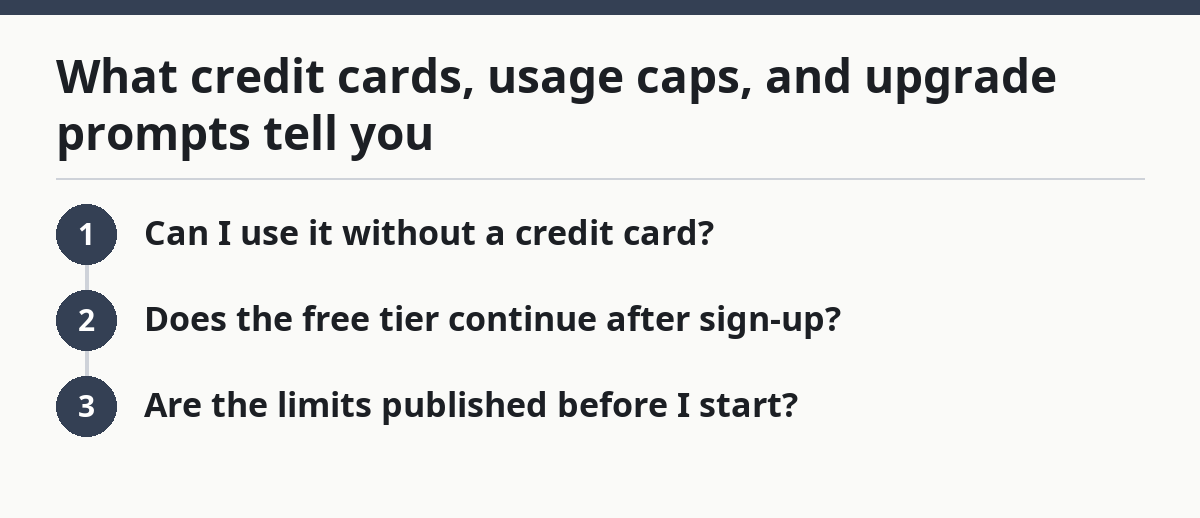
If the answer to all three is yes, the tool is probably really free — at least in the narrow sense of ongoing access without payment. If two answers are no, treat the tool as a trial or paywall-first product; if you are unsure, consult a professional and verify the billing terms. For background on recurring billing disclosures, see the FTC: https://consumer.ftc.gov/articles/automatic-renewal-subscriptions
The exact checks I’d use before sharing a tool with readers
If you need a fast, repeatable check before sharing a tool with readers, use the same sequence every time. You don’t want a vague impression. You want proof you can point to.
Here’s a practical verification routine:
- Open the pricing page first. Find the plan names and confirm there is a free tier, not just a “start free trial” button. A real free offer should be visible within one screen or two.
- Read the free tier row. Look for the limit language: messages, credits, exports, storage, or model access. If the page gives a monthly cap or a feature list, that is useful evidence.
- Start signup in a private window. Check whether the flow asks for a card, phone number, or company email before you can enter the app. If it does, note that as a gate.
- Look for the expiry signal. Search for words like “trial,” “days remaining,” “expires,” or “renewal.” A free plan should not be tied to a deadline.
- Check the in-app prompts. See whether the app constantly pushes upgrades after a few actions, or whether the free tier remains usable without pressure.
- Read the support or help page. Search for “free plan,” “billing,” or “limits.” If the help docs describe the plan as permanent, that helps confirm it.
This routine works because it checks the claim in three places: marketing copy, signup flow, and app behavior. A tool can say “free” on the homepage and still fail the other two checks. That is the difference between a slogan and a real offer.
Use the same method every time and you’ll catch the common tricks faster: trial wording, hidden card gates, and tiny caps that make “free” look generous when it isn’t. After a few pages, the pattern becomes obvious.
Common mistakes that make free tools look free when they aren’t
If you’re trying to verify whether an AI tool is really free, the most common mistakes are easy to spot and easy to avoid. The fix is usually simple, but the error is common.
The first mistake is trusting the homepage headline. Homepages are built to attract clicks, not to define terms. A headline can say “free” while the pricing page says “7-day trial” or “starter credits only.” The pricing page wins.
The second mistake is ignoring the checkout path. If a tool asks for a card to “verify identity” or “prevent abuse,” that may still be a barrier to free use. The cost is hidden friction. The better move is to mark the tool as trial-based until you confirm otherwise.
The third mistake is treating credits as a free plan. Credits are a one-time allowance. A true free plan survives after the credits are gone. If the only thing keeping the tool open is a balance that runs down, the offer is temporary.
The fourth mistake is missing region or account limits. Some tools are free only in certain countries, only on personal accounts, or only for noncommercial use. A page that looks free from one browser can behave differently for another user type.
Keep these swaps in mind:
- Homepage promise → check the pricing page.
- Starter credits → look for ongoing access.
- No card? → still check for expiry text.
- One free action → not a free plan if the rest is locked.
This is also where the best editorial discipline matters. If you are labeling tools for other people, say exactly what the free tier includes and what shuts off. A vague “free to try” label causes more confusion than no label at all.
What to trust when the tool page is vague
If the page is vague, the plan names are fuzzy, and the footer hides the terms in small print, you still need an answer. That’s when secondary evidence matters, and you should use it in a narrow, careful way.
Start with the vendor’s own help docs. Search for the phrases free plan, billing, trial, and limits. Help pages often explain whether the free tier is permanent or whether it converts after a set period. That is usually better evidence than a polished landing page.
Then check the plan comparison table again. If the tool has one, that table often exposes the truth in plain columns: Free, Pro, Team, Enterprise. A proper free plan usually appears there with defined limits, even if the page is visually noisy.
You can also look for one of two solid signals:
- a clear FAQ from the company that explains free access
- a terms page that names the free tier and its restrictions
If you still can’t tell after those checks, treat the offer as unverified. That is the honest call. A vague tool is not automatically paid, but it is not proven free either. For a reader, that distinction matters more than a hopeful guess.
The practical takeaway is simple: the more specific the language, the more likely the free offer is real. The more the page hides behind “try now,” “limited access,” or “contact sales,” the less likely it is to be a straightforward free plan.
For a fuller workflow on sorting tools into useful buckets, the hub on How to Curate Free AI Tools for a Newsletter is the right next stop.
What counts as free?
A tool counts as free when it offers ongoing access without payment, even if the free tier has limits. That might include message caps, slower speed, or fewer features. A one-time credit bundle or a short trial does not count the same way, because it runs out.
How can you tell a free trial from a free plan?
A free trial has a time limit; a free plan does not. Look for day counts, expiry dates, or messages that say the access will end unless you upgrade. A free plan usually appears on the pricing page as a permanent tier with usage limits, not a deadline.
Should a free AI tool ask for a credit card?
A free AI tool does not need a card to be free, but a card request usually means you are in a trial or billing flow. If you are not sure, review the billing terms and consult a professional before treating it as a genuinely free offer.
Drafted with AI; not yet reviewed by a person.
