
Last updated: November 19, 2026
Quick Answer: one clean taxonomy with 5 to 8 top-level buckets is usually enough. AI tools by use case work best when you sort them by the job they do, not by the brand name on the homepage. How to group AI tools by use case in a newsletter starts with a use case taxonomy, then attaches persona, workflow stage, and tags to each tool. The sections below show how to set that up without making each issue feel like a junk drawer. For broader editorial structure, see the guide on How to Curate Free AI Tools for a Newsletter and the related page on How to Build an AI Tools Newsletter.
Key Takeaways
- A simple use case taxonomy helps subscribers scan one issue in under 60 seconds and find the right link.
- Group by use case first, then add a persona line so the issue still feels personal.
- Category labels should show the reader’s path in 3 to 5 words.
- The issue flow can start with the problem, move to the tool, and end with a next step.
Start with one use case taxonomy that a person would say out loud
A good use case taxonomy is the simplest list that lets a subscriber scan one issue in under 60 seconds and know where to click. Start with plain phrases people already use: writing, research, design, data cleanup, meeting notes, customer support, coding, and workflow automation. That is the spine of the issue. Nielsen Norman Group notes that users scan web pages rather than read every word, which is why short labels matter. See also the NN/g guidance on scannable content.
Here’s the catch: if your labels sound like internal product folders, the newsletter gets harder to read. “Generative language tools” is vague; “Writing tools” is clear. “Multimodal productivity” sounds smart and helps nobody.
Build the taxonomy around one primary use case per tool, then allow a secondary label when needed. A tool can be “Writing” first and “Research” second, but it should not live in four buckets at once. That keeps the issue from turning into a pile of duplicates.
A clean taxonomy usually has 5 to 8 top-level buckets. More than that, and the page becomes a filing cabinet. Fewer than that, and every issue feels flat. At 8 buckets, the system still stays manageable for most readers.
Use this order:
- Pick the 5 to 8 jobs your audience actually wants done.
- Write each label as a short noun phrase, not a sentence.
- Keep labels stable for at least 8 weeks so subscribers learn the system.
- Add sublabels only when a tool clearly serves a different workflow.
- Review the list monthly and retire any bucket with no fresh tools.
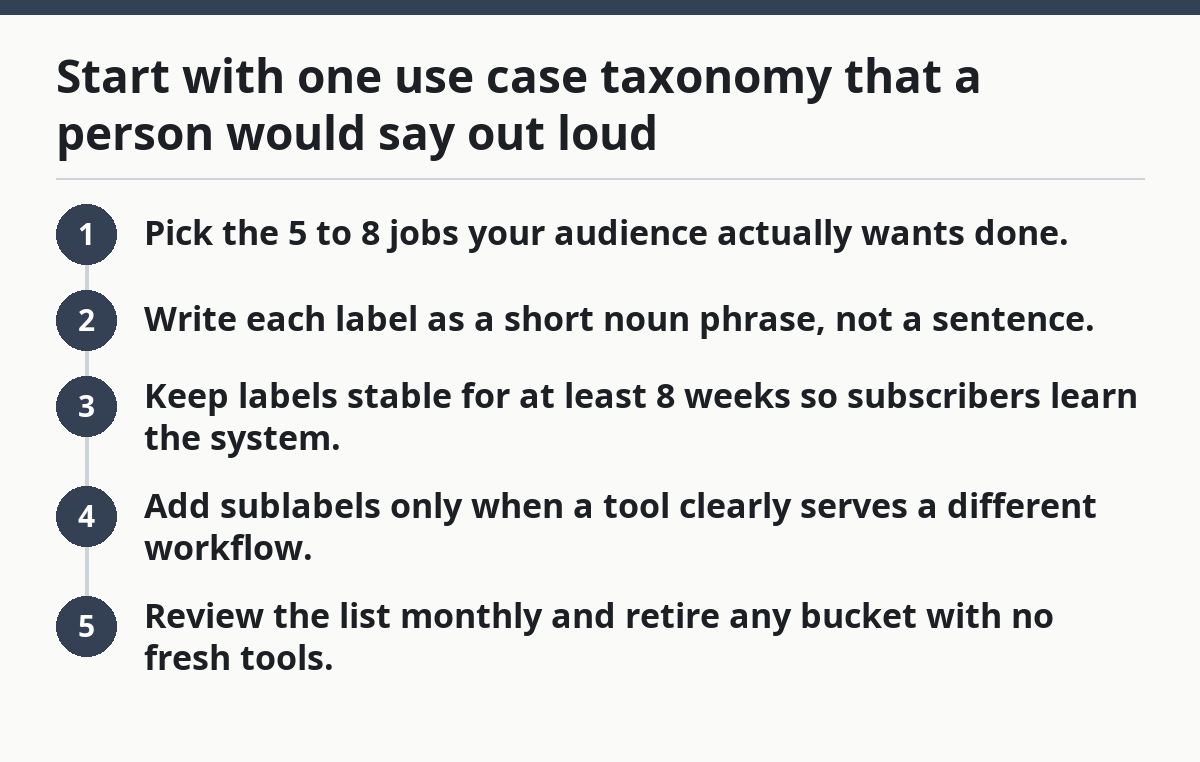
That order helps you keep the taxonomy simple. It also gives you a repeatable way to group AI tools by use case in a newsletter.
The best part is that you can still cover new tools without changing the whole structure. For example, one new tool can slide into an existing bucket without forcing a redesign. That keeps the issue steady from week to week.
How do you group AI tools by use case without losing the human side?
You group them by use case first, then add a reader persona line so the issue still feels personal. A use case tells the subscriber what the tool does; a persona tells them who it helps most. That second label stops the list from becoming a sterile catalog.
Picture this: you have three tools that all “write faster,” but one helps solo founders, one helps editors, and one helps sales teams. If you label all three the same way, the issue looks repetitive. If you tag them by persona, the reader spots the match in seconds.
Use persona as a short helper tag, not a second headline. Keep it to one phrase like “solo marketer,” “classroom teacher,” or “support lead.” If you need a sentence, the persona is too broad.
A simple pairing looks like this:
-
Use case: Meeting notes
Persona: managers with back-to-back calls -
Use case: Research
Persona: analysts who sift long docs -
Use case: Design
Persona: social media teams
That pairing does two jobs at once. It sorts the tool and tells the subscriber where it fits in real life. It also helps when two tools sit in the same use case but solve different pains.
Do not turn persona into a guess about age, skill, or company size unless the use is obvious. “Freelancer” is useful. “Busy millennial” is fluff. The first helps a quick scan; the second wastes the line.
What category labels should appear in each issue?

Your category labels should show the path a subscriber takes from problem to tool in 3 to 5 words. The cleanest setup is use case, workflow stage, and tool type. That gives each item a place without making the issue hard to scan.
Picture this: you open an issue and see a tool under “Draft,” another under “Edit,” and a third under “Publish.” That structure tells a story. The subscriber can tell where each tool fits in the workflow in about 10 seconds.
Use the same label set every time so people build muscle memory. A stable set might look like this:
- Discover — research and idea finding
- Draft — first-pass writing or output
- Edit — cleanup, rewrites, correction
- Ship — export, publish, or share
- Automate — repeatable tasks and handoffs
If your audience is more tactical, swap in labels that match their workflow: “Plan,” “Create,” “Review,” “Send,” and “Track.” The point is not the exact words. The point is that the labels describe action.
A useful rule: one tool can sit in one workflow stage per issue, even if it has ten features. That keeps your coverage balanced. It also stops the same product from crowding out smaller tools.
Use color sparingly if you use it at all. One label color per stage is enough. More than that and the visual system starts to fight the content.
Build the issue around the reader path, not the tool list
The issue flow can start with the problem, then move to the tool, and then end with a next step. That means each group should answer, “What should I do with this?” instead of, “What is this thing called?”
Picture this: a reader opens the issue looking for a way to handle customer replies. If the first block says “AI support agent,” the reader has to do the matching work. If the block says “Customer support,” the path is obvious. That difference matters.
Use this order for each group:
- State the use case in the heading.
- Add a one-line persona.
- List 2 to 4 tools under that need.
- Tag the workflow stage beside each one.
- End with a short “best for” note that tells the reader when to click.
A sample block can look like this:
- Research
- Tool A — best for long-document summaries
- Tool B — best for quick web scanning
- Draft
- Tool C — best for first-pass blog copy
- Edit
- Tool D — best for grammar cleanup
This structure works because it respects the reader’s job. Nobody opens a newsletter to admire your taxonomy. They open it to solve something before a meeting, a deadline, or a blank page.
The truth is, the issue gets weaker when you lead with tool names. Brand-first layout is easy to write and hard to use. Use-case-first layout takes a little more care and pays back in clarity.
How do you tag tools so the same one does not show up everywhere?
You tag tools with one primary use case, one secondary note at most, and a short descriptor for the stage of work. That prevents category drift. It also keeps the list from looking inflated, though you should consult a professional editor or taxonomy specialist if you are applying the system to a large archive or a regulated publication. For taxonomy guidance, see NN/g on information architecture.
Picture this: you have a tool that writes, summarizes, and formats output. If you tag all three as equal, you will overcount the tool and blur the issue. If you assign one primary label and one supporting label, the item stays honest.
A practical tagging model uses three fields:
- Primary use case — the main job
- Secondary use case — only if the tool clearly fits another bucket
- Stage tag — discover, draft, edit, ship, or automate
Keep the primary tag strict. A tool belongs in “Customer support” only if that is the main reason a subscriber would use it. If it is merely capable of support work, it should stay in the broader bucket where it fits best.
This matters most when you cover tools with broad feature sets. Many AI products can write, summarize, translate, and repurpose content. If you place every one of them in every bucket, the taxonomy loses meaning in a single issue. That is a fast way to train subscribers to ignore the labels.
A good test: if a subscriber asked, “Why is this here?” the answer should fit in one sentence. If not, the tag is doing too much work.
A simple workflow for grouping tools before you publish
You group tools before publish by sorting them in three passes: use case, persona, and stage. That order keeps you from collecting a pile of tools first and fixing the logic later. It also cuts down on rewriting the layout at the last minute.
Picture this: you have 18 tools in a draft sheet and only one evening to prepare the issue. A simple workflow keeps you from stalling out. The sheet gets cleaner when each pass has a single job.
Use this process:
- List every tool in one sheet, with a single-line note on what it does.
- Assign a primary use case to each tool.
- Add one persona label only if it changes the fit.
- Mark the workflow stage the tool helps most.
- Remove duplicates and move any broad tool to the bucket where it helps the most.
- Check each bucket for balance before you publish.
The result should feel even, not crowded. If one bucket has eight tools and another has one, the issue probably needs trimming. A newsletter issue with 4 to 6 tools per major use case is usually easier to read than a giant stack of links, though the right number depends on your audience and how deep each item is. In practical terms, 4 to 6 links can be enough for one section.
This is also where you decide what stays out. A tool that does not serve a clear use case should wait for a better issue. Forcing it into a bucket makes the whole taxonomy look fuzzy.
One more practical habit helps a lot: keep a master glossary with your label choices. Use the same wording every week. After a month or two, subscribers start to trust the structure because they can predict where to look.
Common mistakes that make a use case taxonomy fail
A use case taxonomy fails when it gets too broad, too clever, or too crowded. Those mistakes cost you scan speed, and scan speed is the whole point of grouping tools in a newsletter.
Picture this: a subscriber opens the issue and sees “Productivity,” “AI assistance,” and “Innovation.” Those labels mean almost nothing on their own. The reader has to decode the system before finding a tool, which defeats the format.
Common mistakes to avoid:
-
Broad labels like “Business” or “Productivity”
They hide the actual job and force the reader to guess. -
Too many buckets
Ten or twelve top-level categories turn a short issue into a maze. -
Feature-based sorting
“Chatbot,” “image generator,” and “voice” are tool types, not use cases. They rarely help a subscriber choose. -
Mixed standards
One bucket based on persona, another on stage, another on platform. That split makes the system feel random. -
Duplicate placement
Putting the same tool in three buckets makes the issue feel bigger than it is.
The fix is simple, though not easy: keep the taxonomy tied to the job the tool helps with. Use the same rule every week. If a label can’t survive a quick scan by a busy person, cut it. The 60-second scan test is usually enough to expose weak labels.
Need a clean companion guide for the bigger content system? See the hub on How to Curate Free AI Tools for a Newsletter. It fits beside this page and helps keep the broader process consistent.
How do you know the grouping is working?
The grouping is working if a new subscriber can find a relevant tool in under 30 seconds and tell you what each bucket means without extra explanation. That is the real test, not how tidy the spreadsheet looks.
Picture this: you send the issue and the clicks cluster around one or two buckets while the rest get ignored. That may mean your labels are too broad, or that your audience wants a different use case mix. Either way, the signal is useful.
Check these signs after a few issues:
- People click within the expected bucket instead of bouncing across the page.
- The same labels can be reused without rewriting the whole layout.
- New tools slot into a bucket without causing a naming fight.
- Subscribers reply with the use case they want next, not confusion about the labels.
If the system keeps changing, it is not a taxonomy yet. It is a draft. A stable set of labels will do more for trust than a clever new structure every week.
The final test is simple. If the issue can be skimmed on a phone and still make sense, the grouping works. If it needs a second read to understand where a tool belongs, the labels need another pass.
Should tools be grouped by category or task?
Group tools by task first. A task tells the subscriber what problem the tool solves, while a category often only describes the product type. If you need both, make the task the headline and the category a smaller tag under it. That keeps the issue useful on a phone screen.
How many use cases should one issue cover?
One issue should usually cover a small set of use cases, not every job under the sun. A focused mix is easier to scan and easier to remember. If the issue gets crowded, split the less related buckets into the next send rather than forcing them into the same page.
Drafted with AI; not yet reviewed by a person.
